How to Choose Best Storage for Backup
Best backup storage must meet some key features, which are perhaps crossing each other or even directly opposing it. Handy Backup allows using any modern type of storage for business and personal purposes, depending of the particular requirements for backups.
 Download for Free
Version 8.5.3 , built on March 5, 2024. 116 MB
30-day full-featured trial period

Backup Storage Requirements
Let us discuss some most important features of best backup storage solutions for all typical cases.
Storage Space

Most backups are bulky. It has a particular importance with backups of databases, disk images and multimedia collections. Too small size, like a standard free account on a typical cloud service, can be too small to use it for storing multiple backups, especially versioned or rotated copies.
Convenience

No one needs backups when these backups cannot be used in a reasonable time and with reasonable efforts. A fresh backup must be always at hand. Therefore, a backup device unreliable, slow and prone to losing it, such as a DVD disk or a stream tape, are obsolete now.
Speed of Data Copying

Any time used for backup is also a time removed from some other activity. This is a basic principle for not only the “hot” data saving but also for using the speediest, fastest media for keeping big or constantly changing volumes of backups. Note that online storages are slower than offline.
Modern Media for Backup
Despite of the big quantity of different media types, these are the two general data storage types: online and offline storages. Handy Backup supports both these branches, allowing selecting best backup storage online or offline as you wish.
- Online storages can be either local (FTP servers, NAS units and remote disks) or Internet-linked (distant FTPs, cloud services). The Internet connection parameters limit the speed of Internet storages. On the other hand, you can use backup data from Internet from anywhere!
- Offline storages divides into built-in (local PC drives) and removable (USB units, SD or other cards). These units have much bigger operational speed than online media, although may require extra time and efforts to connect or even locate such device.

Advantages and Properties of Different Media Types
Here we provide the list of modern backup storage types, with main features, advantages and, perhaps, problems of each media type.
- Local drives. The most convenient and often the cheapest type of storage, local drives can store all you need for a long time. Disadvantages are unavailability of backups when you are offsite, and the need to replace or rewrite these drives when you upgrade.
- Pluggable USB drives (DAS). A good type of backup storages, capacious and cheap. You can take any of these units off-site when you need, or move it to another machine by just reconnecting it. However, these drives still have no options to connect when you are far away.
- FTP, SFTP and FTPS servers. Links to a local network or attached to Internet with a provided address and/or a name. This storage is typical for static website contents, kiosks and enterprise-level backups. You can access Internet-linked FTPs from anywhere.
- NAS units. Network-linked drives can be just as cheap as external drives and just as readily available as FTP servers can. Therefore, you often can raise a personal cloud service using the NAS software kit, making your backups available via the Internet.
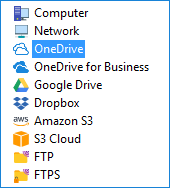
- Commercial clouds. These services provide a full-time access for your backups, but Internet provider settings and other circumstances can compromise connection speed. Despite this fact, clouds are the most convenient and modern way to store data including backups.
- Dedicated vaults. Not any software company provides a secure vault for user backups, although Handy Backup equips a user with an access to S3 cloud types, such as Amazon S3, Box and other services, like Wasabi backup storage.
Recommended Solution
$89 per license

Handy Backup Professional
The Professional edition allows you using any type of storage space existed out-of-the-box, from local and USB disks to popular clouds, so you can always choose best backup storage for PC data.