Bare Metal Restore for Windows 11, 10, 8, 7 and Linux
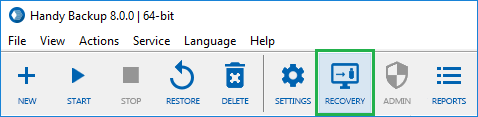
Bare metal recovery allows bare metal disaster recovery onto once non-system drives, including new disks or completely new computers. Handy Backup can serve as perfect bare metal backup software, allowing recovering from files taken by the program with the dedicated Disaster Recovery tool.
 Download for Free
Version 8.5.3 , built on March 5, 2024. 116 MB
30-day full-featured trial period

When You Need for Bare Metal Restore?

Moving Your System or Data Drive to another Hardware
If you are replacing your hard disk or a whole machine to a roughly equivalent unit, you may feel a need to make bare metal backup Windows and then to transfer it onto this new hardware.

Restoring Your Drive after Some Disaster
If some mishap or trouble strikes your machine, and you are repairing or replacing a hard drive, make the bare metal recovery to reset all your data and settings into the place.

Cloning or Mirroring OS
Sometimes, this is a need to make some clones of your OS (for example, to multiply a pre-configured Ubuntu Linux onto many laptops). The bare metal recovery can help you there!
Windows Backup Bare Metal Recovery Considerations
Windows is a proprietary OS, and each copy of Windows tunes up itself to some hardware. Therefore, please take some considerations into account when performing Windows bare metal restoration:
- Do not use bare metal backup Windows files to take unlicensed clones of Windows!
- Some hardware can be in conflict with a copy of Windows moved to another machine, when other still can work without problems.
- Transferring bare metal recovery copy to other hard drive often brings no problems, although you must check that a new drive has enough capacity to store a system!
The last statement can be crucial, as a typical Windows 10 bare metal backup (including all programs installed, user libraries and so on) can take from 50 to 200 GB and more, so always check out your storage drive capacity before attempting restoring an image!
Recommended Solution
$89 per license

Handy Backup Professional
The advanced solution for expert users and pro-level workstations, the Professional edition contains a free option of using the Disaster Recovery for bare metal backup of Windows 10,8, 7 and OS Linux!