Data Replication Software, Strategies and Techniques
Data replication software allows complete copying some dataset to another place to use it as a copy of original data. Handy Backup provides full automation for this copying, replacing specific data replication solutions with backup and restore plug-ins that can automatically copy any data to any place you need.
 Download for Free
Version 8.7.0 , built on May 7, 2026. 152 MB
30-day full-featured trial period
Advantages of Handy Backup as Data Replication Software

Well-Developed Plug-in System as Data Replication Tools
With a plenty of plug-ins, Handy Backup gets an access to almost any data and storage type existed for secured, automated data replication, including files, folders, databases (e.g., backup MySQL, MS SQL), virtual machines, websites, clouds (Google Drive, Amazon S3, OneDrive) and much more.
Full Automation for Data Replication Techniques
Using the plug-ins and file filters, Handy Backup can save and restore any data of any type, automating all data replication technologies. In addition, a user can schedule any task to run automatically at an exact time and with a pre-defined repeating period, to utilize different data replication strategies.


Advanced Security and Data Replication Tools Control
Serving as replication software, Handy Backup allows using internal data and traffic encryption, accessing secured FTP and cloud storage, informing users about program actions via emails or a GUI, as well as running missed tasks and starting other software (e.g., security utilities) before or after a task.
How to Make Data Replication with Handy Backup?
These are the two variants of data replication: one for moving data to some storage, and another to saving a data copy onto another data source.
- Storage media: there are the clouds, FTP servers, NAS units, external and network drives and local disks to serve as storage. The primary feature of storage is its designation for saving data.
- Data sources: along with any storage that can serve as data source in Handy Backup, all non-storage object types (e.g., a database or a virtual machine) can be a data replication source.
Review About Data Replication Tool by Handy Backup
Recommended Solution
Lifetime license

Handy Backup Small Business
The Small Business edition can serve as data replication software for any data type, including database, website and VM data replication tasks. Free 30-day trial!
Data Replication to Storage
The way to do it when using Handy Backup as replication software is quite simple.
- Open Handy Backup. Create a new backup task with a button or a menu item.
- On the Step 1, select the backup task type. Use advanced mode for controlling all functions.
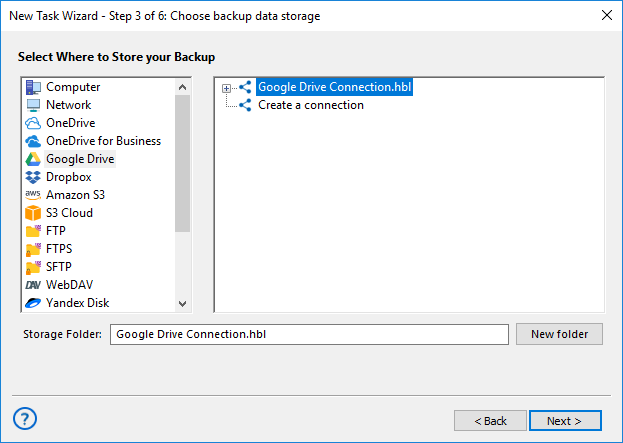
- Move to Step 2. Here, select a data source for your data replication task.
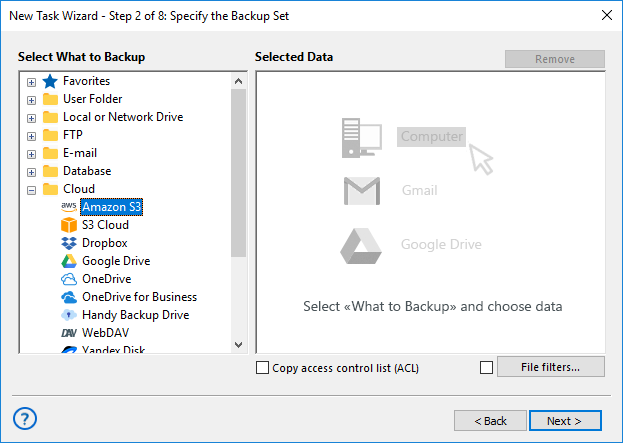
- On Step 3, select appropriate storage to replicate the information. Your destination storage must have enough free space to receive transferred data.
- On other steps, tune up your task (to schedule running, encrypt data and so on).
- Finally, give your task a name. That is all! Each time you will run a task, you will automatically process your data replication to selected storage.
Note: To make simple data replication between storage folders, you may use the synchronization task (make it on Step 1, and just select storage folders on Steps 2 and 3). This method simplifies data replication operations, but it also lacks some additional instruments of security and efficiency.
Using Handy Backup as Replication Software for Data Sources
Here, things are bit more complicated. Firstly, select storage (see above) to save a temporary copy of your information. Then create a backup task to save your source data to that storage. Next, create a new task and select the restoration task on Step 1. Use advanced mode and follow the next instruction:
- Open your storage on Step 2, and in the backup folder, find a file backup.hbi.
- Select this file. Click “Next” and go to Step 3.
- On this step, click onto the button “Change location” (available in advanced mode only).
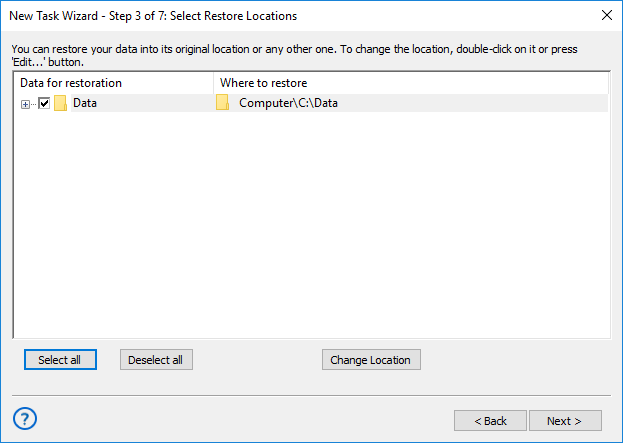
- Select the data source connection (or create a new one) to replicate data to it. Click OK. You can have a need to create a connection to restoration point. You can do it by just the same way as for connecting to a data source. Please see the User Manual for details.
- Continue creating a restoration task as described in the User Manual.
Note: You can automatically delete your temporary file copy after data replication by running a command after a task. You may also schedule replication software actions by running a backup task and a restore task after a few time needed to complete a backup part of this operation.
You can also make a multiple restoration actions in a single task (e.g., when using Handy Backup as website replication software), but we strongly recommend dividing recovery actions to different tasks for different data types. It adds to overall stability and allows quickly modernizing any task parameters.
Download for Free
Version 8.7.0 , built on May 7, 2026. 152 MB
30-day full-featured trial period
Try Handy Backup as perfect data replication software for Windows! Download a newest version of Handy Backup with all plug-ins and functions for a 30-day free trial period!
"I replicate my Wordpress-based website with Handy Backup regularly, and I am very glad to delegate all routine actions to this data replication software, instead of making so and so manually. It is smooth, convenient and very reliable over the years."
Svetlana Dovolsky, a photo blogger