Handy Backup FAQ
Handy Backup Works with Windows Vista Handy Backup - Handy Backup FAQ

Data backup and disaster recovery software for
Windows 7/Vista/XP/2000 or 2008/2003 Server

What will happen to my backups after the 30-days trial period?


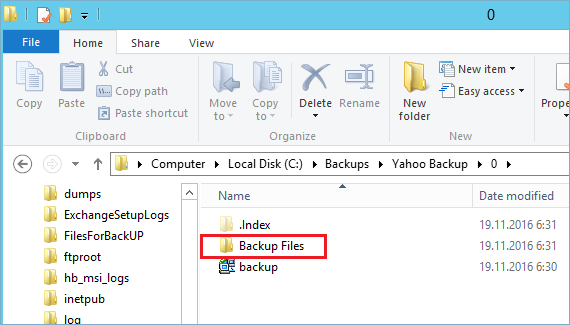
Upon the expiration of the evaluation period, Handy Backup stops working, but your backups remain intact. If they are not encrypted, you can easily access them via common methods, e.g. with Windows Explorer. Otherwise, you will have to use Handy Backup to decrypt them.

File Backup - back up individual files and folders stored in local, LAN and FTP locations Email Messages Backup - back up e-mail box directly from your mail server Image Backup - perform complete hard disk image backup with all data and operating system Email MS Exchange Backup - back up and restore Microsoft Exchange Server stores Lotus Notes Backup - back up Lotus Notes without stopping the service ODBC Database Backup - protect your databases by regular backups

Backup to LAN, Local and External Drives - store your backups at any drives visible in Windows Explorer Backup to FTP - offsite backup to remote FTP server provides maximum reliability Backup to SFTP - transfer sensitive data to a remote server via secure SFTP protocol Backup to CD-R/CD-RW - burn your backups to optical disks with multi-drive spanning and verification options Backup to DVD/HD DVD/Blu-Ray - record important data to DVD disks using the integrated burning tool Handy Backup Online - store backups at Novosoft Online Backup Service instead of third-party providers

Handy Backup software - Handy Backup FAQ
Bookmark and Share