Disk Recovery Software: Utility to Recover Hard Disk Data
Hard disk recovery software allows to recover or to clone a hard disk on a "physical" or "logical" level, as a disk image, instead of copying file content. Handy Backup is a perfect utility to make hard disk restore, allowing automating and optimizing this operation either itself or by an external utility.
 Download for Free
Version 8.5.3 , built on March 5, 2024. 116 MB
30-day full-featured trial period

Advantages of Hard Drive Data Recovery Tools in Handy Backup

Multi-Platform Hard Disk Recovery
The Disaster Recovery utility, a part of Handy Backup software, is a platform-independent solution for restoring images of any OS, including Windows, Linux, FreeBSD and Mac OS X. It is USB-based, external hard disk recovery software, allowing booting from a rescue drive and restoring a disk image.

Recover Snapshots Locally or by a Network
Users can either recover non-primary drives (i.e. not a drive from which a copy of OS currently running loaded) locally for any edition of Handy Backup except the simplest Standard, or make disk recovery by a network (for network editions only) directly from a program, without a need for a disk recovery utility.

Scheduled Backup for Correct Version Recovery
Handy Backup allows scheduling disk image snapshots, as well as marking backups with version numbers and time stamps. Therefore, you can take a particular version (e.g., the last stable backup) for data recovery of hard disk content, relying to version data in backup folder names.
How to Recover Hard Disk Data Using Handy Backup?
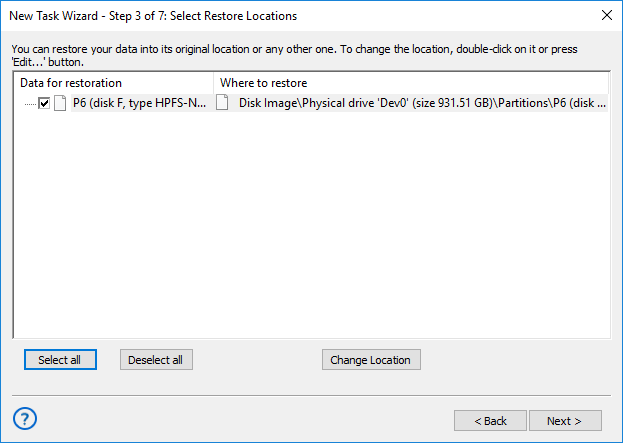
This short instruction will teach you how to make complete image recovery. You can use either a disk cloning plug-in (Disk Image or System Recovery), or the Disaster Recovery utility to make hard disk recovery from scratch.
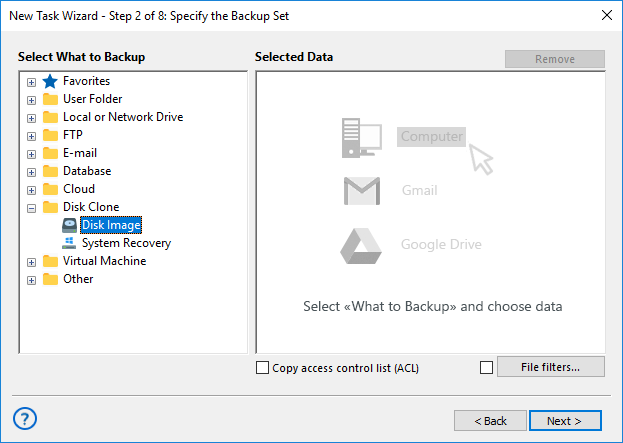
- The Disk Image plug-in will make a binary image of hard disk recovery drive.
- The System Recovery plug-in will create a usable, readable VHD disk recovery image.
- The Disaster Recovery utility will recover a hard drive from an image made either by Disk Image and System Recovery, or take an image by itself to work as a disk recovery utility.
Recommended Solution
$89 per license

Handy Backup Professional
The Professional edition is a choice of IT experts, making hard disk restore from the program itself and also allowing using the Disaster Recovery utility as your trusted hard disk restore tool.