Enterprise Network Backup

English

English

  • French
  • Russian
  • Spanish
  • German
  • Japanese
  • Italian
HomeContact UsPartnersOnline Backup
CloseRegister

Login

Password

  • Backup Software
  • Download
  • Order
  • Support
  • About
  • Backup Software for Home
  • Handy Backup Home Standard
  • Handy Backup Home Professional
  •  
  • Backup Software for Business
  • Handy Backup Small Server
  • Handy Backup Network Server
  •  
  • Handy Backup for Android
  • Online Backup Service
  •  
  • Compare Versions
  • Screenshots
Backup Software
  • Handy Backup
  • Handy Backup Server
  •  
  • Handy Backup Plug-ins
  • Language Packs
  •  
  • Sources for Partners and Press
Download
  • Purchase Handy Backup
  • Upgrade Handy Backup
  • Help Me Choose Edition
  •  
  • Volume Order Pricing
  • Special Offers
  •  
  • Information for Resellers
  •  
  • Contact Sales
Order
  • Contact Support
  • FAQ
  • Handy Backup User Manual
  • How to Register
  •  
  • How to Back up
  • Backup Terms Glossary
  •  
  • Feedback Form
Support

Handy Backup / Support / Handy Backup User Manual / Creating Network Backup Task

Creating Network Backup Task

Once you have installed and configured Handy Backup Network Server and Handy Backup Workstations, you can back up data from each machine where Backup Network Workstation is installed. Creating backup task in Handy Backup Network Server is similar to creating usual backup task:

  1. Launch the New Task Wizard.
  2. Select Backup Task, and then click Next.
  3. Click Add to open the shortcut menu. The list of available for backup items will appear.
    Handy Backup Network Server: Creating New Network Backup Task
  4. Select Backup Network. Workstations will be added to the backup set.
    Handy Backup Network Server: Selecting Workstations for Backup
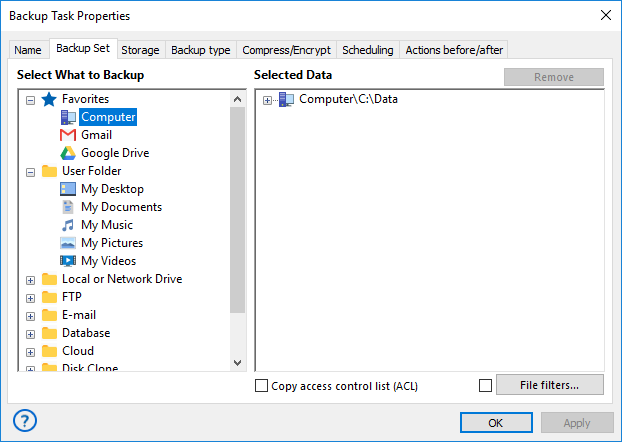
  5. Expand the tree panel to see the list of Handy Backup Workstations that are currently available for backup. Expand the tree panel near workstation name to see data available for backup.

    Note: When you use Handy Backup Network Server to back up data of a networked PC, the task is executed with privileges of the user account under which Backup Network Workstation service is launched. By default, this is local system, which means that it can't be used for data that requires proper access rights (e.g. Outlook Backup). To back up such data, you need to manually change the account under which the service is launched on the workstation.

  6. When finished, click Next.

The subsequent steps are identical to usual backup task creation. For more details, refer to Backing up data.


Installation of Handy Backup Network Server

Restoring Data

Go to Help Contents

Essentials

Installing Handy Backup

Installing Handy Backup Network Server

NEW!Installing Handy Backup Disaster Recovery

Installing Handy Backup under Linux

Updating Handy Backup from Earlier Versions

Registration

Plug-ins

How to Backup (Articles)

Download User Manual in PDF (3MB)

Who uses Handy Backup?

Loading client logos...

Copyright © 2004-2012 Novosoft LLC. All rights reserved. Handy Backup software.

Loading...

You are currently being redirected to a payment system. Please wait...

Back to Top