Step 1: Choose Task Type
Handy Backup creates all tasks through the New Task Wizard. To run the Wizard, click the New Task button on the program′s toolbar. Alternatively, you can select a menu item called New task or just press Ctrl+N keys.
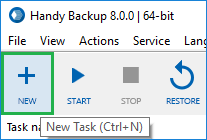
The New Task Wizard will open.
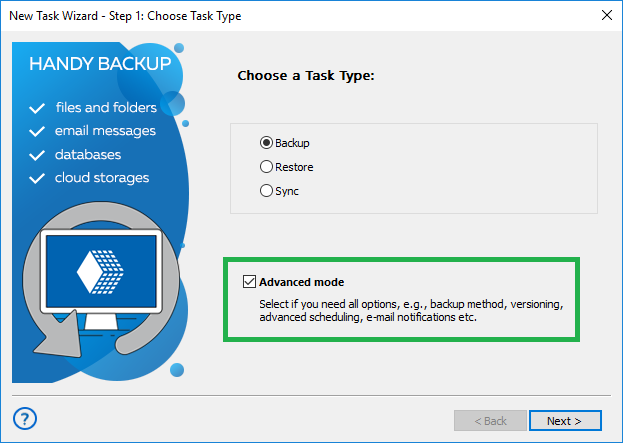
On the first step of the New Task Wizard, you need to select a task type.
- Backup tasks are for creating copies of data, with versioning, compression, encryption, and other options. For each backup, the program creates a number of control files required for restoration.
- Restore tasks will restore data backed up with the program, with automatic unZIPping, decryption, etc. To roll back to a previous version of your data, you need to select the respective backup.hbi file created during a backup task.
- Synchronize tasks instruct the program to synchronize files and folders, without much extra options. They are useful if you don′t to save multiple copies of different versions of files, and need no compression or other options.
You can run each task manually, or schedule it by a time (including intervals) or by a system event. To create a task, you need to complete all steps of the New Task Wizard. See next chapters for detailed description of all steps.
Selecting Task Wizard Mode
To use all options of a New Task Wizard, please mark the checkbox "Advanced mode" at the bottom. To stay on a simplified mode, leave this checkbox empty.
Advanced mode allows you using more options for partial, mixed and versioned backup, encrypting and compressing data, using external software along with a task, scheduling and triggering a task by events and utilizing some other fine-tuning options.
Contents: