English
Other Languages
Search site:
 image MS Windows® Vista/2000/XP/2003
Handy Backup 6.1

Backup Extras


Handy Backup comes in multiple editions which differ in features and data presets available for backup. To learn about functionalities of different Handy Backup editions refer to Comparison Chart.


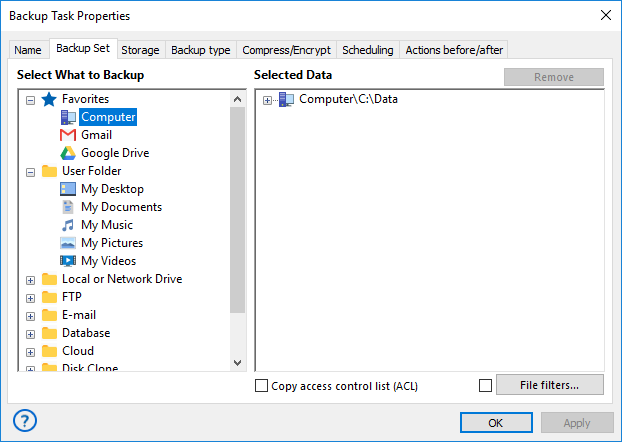
Backup presets are items shown in the selection menu during the process of backup task creation. The basic principle is that the user only specifies the item he wants to include to backup and Handy Backup automatically locates the needed files and adds them to the backup set. Below is a list of “common” items that can be backed up in any edition:


  • Files, folders and FTP files
  • Windows registry
  • Desktop
  • My Documents
  • Favorites
  • Microsoft Outlook files
  • Outlook Express files
  • ICQ files
  • Email Box backup

Apart from the items listed above, Handy Backup can back up different frequently used applications such as design tools, instant messengers, mail clients, etc. This is done through the use of backup plug-ins which exploit files-based backup method. To learn more, refer to Plug-Ins.


In Handy Backup, the term “upgrade” doesn’t imply installation of new or modification of the original software, which is called “update” (to learn more, refer to Updates). Each Handy Backup license is prescribed to a specific computer, and the functionality of each program copy is strongly bound with its registration serial number. When you purchase an upgrade, you don’t get any software packs to update the program: what you receive is an update of your registration key in our customer database (e.g. the information about the features your serial number allows using in Handy Backup).


The following features and backup plug-ins require the presence of the appropriate upgrades, e.g. they can be used only if they are prescribed to your registration number in our database:


  • Support for DVD, Blu-Ray and HD DVD as storage media;
  • Support for SFTP server as storage location;
  • Disk Image plug-in. This plug-in is used to create drive image backup with all applications and system records.
  • Database backup plug-in. This plug-in allows backing up databases that support the Open Database Connectivity (ODBC) driver.
  • Lotus Notes backup plug-in. This plug-in provides a fast and reliable way to back up the popular IBM communication and collaboration application.
  • MS Exchange backup plug-in. This plug-in allows backing up the popular Microsoft messaging and collaboration service.
  • MSSQL backup. Unlike database backup plug-in which uses the ODBC protocol, this plug-in exploits the Microsoft API technology and allows backing up the popular Microsoft database management system.

Note: During the 30-days trial period of the program, all these features are available. If you want use some features not available within the Handy Backup Standard functionality you need to purchase them as an additional upgrade. The latest information about upgrades is always available in the Order section.


Note: Some of the above listed features may be unavailable in early versions of Handy Backup. To learn about updating Handy Backup, refer to the next section Updates.


Data to Back Up:

File Backup - back up individual files and folders stored in local, LAN and FTP locations
Email Messages Backup - back up e-mail box directly from your mail server
Image Backup - perform complete hard disk image backup with all data and operating system
Email MS Exchange Backup - back up and restore Microsoft Exchange Server stores
Lotus Notes Backup - back up Lotus Notes without stopping the service
ODBC Database Backup - protect your databases by regular backups

Backup Destination:

Backup to LAN, Local and External Drives - store your backups at any drives visible in Windows Explorer
Backup to FTP - offsite backup to remote FTP server provides maximum reliability
Backup to SFTP - transfer sensitive data to a remote server via secure SFTP protocol
Backup to CD-R/CD-RW - burn your backups to optical disks with multi-drive spanning and verification options
Backup to DVD/HD DVD/Blu-Ray - record important data to DVD disks using the integrated burning tool
Handy Backup Online - store backups at Novosoft Online Backup Service instead of third-party providers