Incremental Backup Tool for Windows and Linux
Incremental backup software solutions, such as Handy Backup, are perfectly fit for such tasks as constant updating the reserved copies of work files, folders, projects or cloud accounts. Handy Backup provides the automatic incremental backup for Windows and Linux OS.
 Download for Free
Version 8.5.3 , built on March 5, 2024. 116 MB
30-day full-featured trial period
What Is Incremental Backup?
Incremental backup is a method of backup where a full copy of some data will update with smaller copies of any changes in this basic dataset (these updates are the increments). Incremental backup software must have a capability to make these copies on a regular basis and recover it when needed.
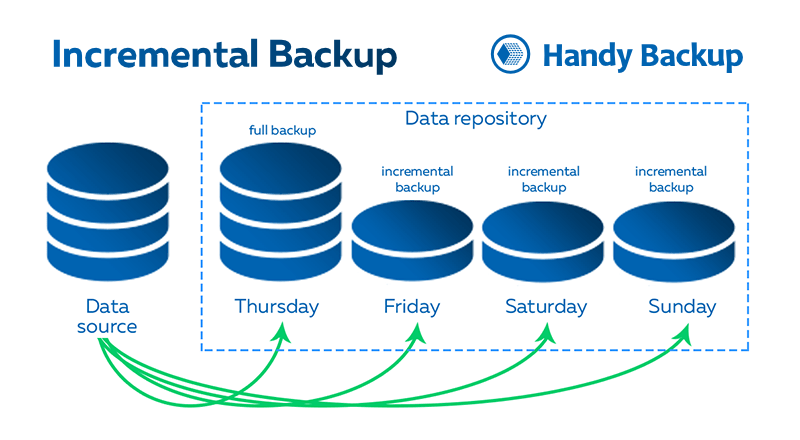
For example, if about 2,000 files has been kept on a particular folder and after the last backup only three of them were changed, incremental backup will create a copy of only these three files. This backup is an increment to full backup keeping all files as a basic copy.
Mixed Incremental Backup
This option starts a fixed cycle of one full backup and some subsequent incremental backups. All cycle will start again from full backup when the chain of incremental backups will reach its predefined end (by time or by quantity).
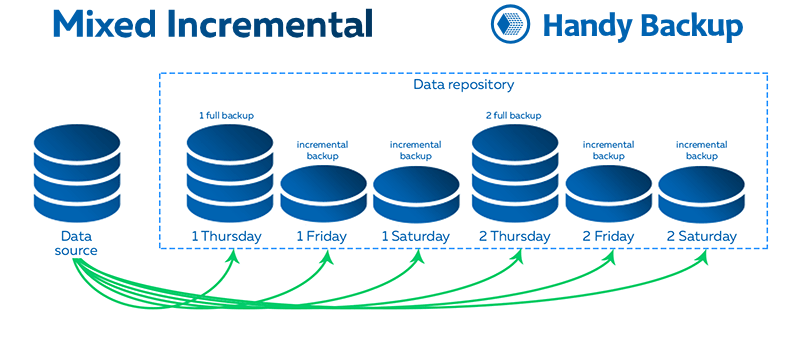
The crucial advantage of mixed incremental backup is an ability to break too long incremental chains and replace it with a newer full backup. This can slow a backup process by a bit, but adds greatly to speed and reliability of recovery process after long-term incremental backup.
How to Take Incremental Backup in Handy Backup?
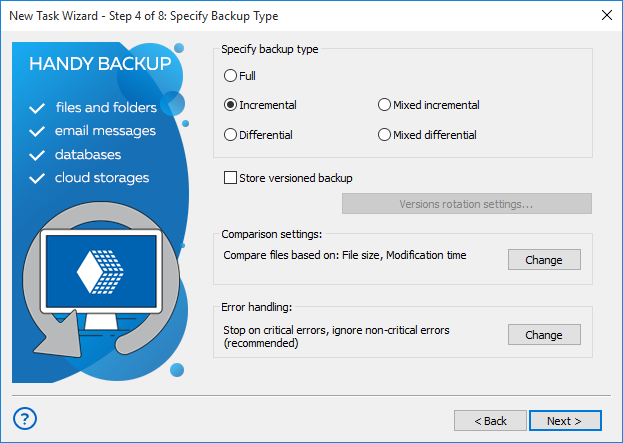
This is a quite simple action. Just select either the incremental or the mixed incremental backup type on the Step 4 of a new backup task creation.
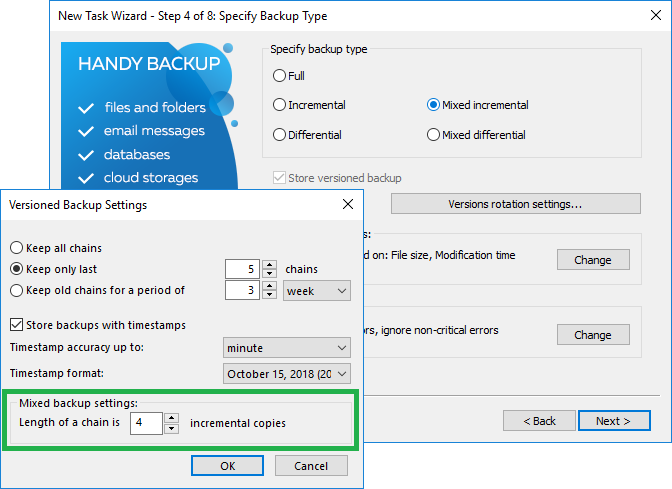
For mixed incremental backup, you can also set up a length of a backup chain before repeating a whole cycle (by time or by quantity of increments). Note than the option of mixed incremental backup is available only for advanced task wizard mode!
Recommended Solution
$39 per license

Handy Backup Standard
Easy-to-use utility with full support for differential and incremental backups. Full-featured free 30-days trial!


