Data Backup Verification – How to Verify a Backup
Backup verification is a critical process that should be included as part of your backup policy. It involves testing your backups for errors or information loss to ensure that they are valid and usable. To verify backup integrity and usability you should compare the checksums of your backup files and original data.
 Download for Free
Version 8.5.3 , built on March 5, 2024. 116 MB
30-day full-featured trial period

Automated backup verification is impossible for most types of data and storage media. The only way to provide backup media verification or to check data consistency is a manual recovery with subsequent analysis for restored data. However, Handy Backup allows automating some verification procedures.
Methods of Automatic Backup Verification
Automatic Recovery
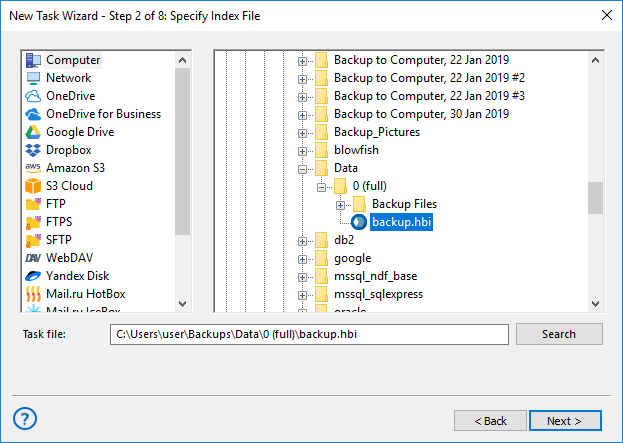
This method is especially useful for such tasks as mail backup verification. Just create a recovery task and restore your email backup to some other folder (perhaps on a completely different web mail server). If a task will complete successfully, all emails are OK, then it is a proof sign of backup consistency.
Using Data-Specific Tools
For such tasks as MySQL backup verification, you can use third-party or data-related software solutions for data backup verification. Restore backup content to somewhere automatically or manually, and then run some checking tool to assure recovered data consistency.
A good backup verification tool should include size checks, file integrity checks, and archive verification to ensure that backups are reliable and can be used for recovery purposes. By using a reliable software for verifying, you can have peace of mind knowing that your data protected and can be recovered if necessary.
Checking the Backup Logs
The next way to confirm if everything goes fine is by checking the backup logs. To verify data backup by this way just check the Log View pane.
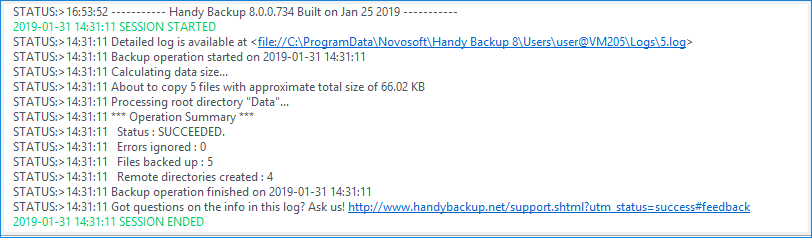
Here is an exception for recovery drive images, as Handy Backup contains built-in algorithms to check overall stability of drive and partition images created by System Recovery and Disk Image plug-ins. You do not need to turn these algorithms on, there are always in use.
Utilizing Backup Media Verification Software
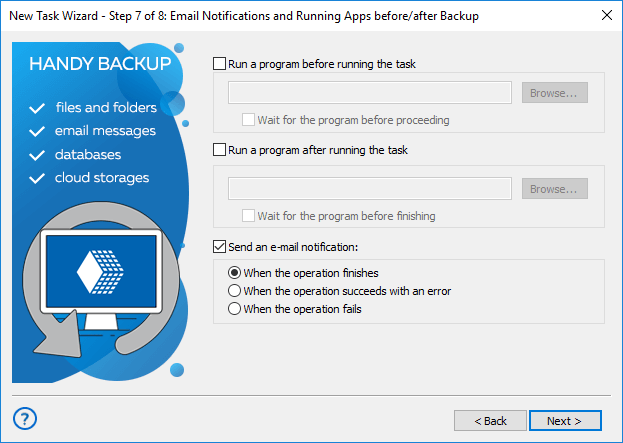
The next way to run backup verification is checking media storage for backups with dedicated tools, such as chkdsk for local drives. Use advanced mode for a task wizard, and on Step 7 of backup creation, allow running such tool from a command line before executing a main task.
Manual Data Backup Verification
Still, for many data types and tasks, the most useful way of backup verification is manual check. For all modern storage types, from local and external USB drives to NAS units and different FTP servers to cloud services such as Amazon S3, Google Drive and Dropbox, it is a very simple action!
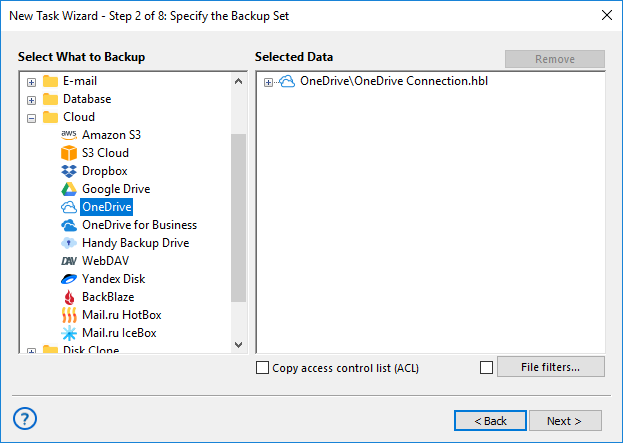
Handy Backup keeps unencrypted backup files in native formats, which simplifies backup verification to just browsing data content on storage after backup and comparing this content with original information. You can use any file managers and other appropriate data accessing tools.
Note: Automated backup verification described in previous section can also require regular manual control. Handy Backup supports a very big list of data types, and each of these data require some different verification procedures.
Please read the conclusion: how to organize the best backups.
Recommended Solution
$89 per license

Handy Backup Professional
A choice for advanced users and IT experts, the Professional edition allows accessing many types of data, including images of system or data drives.
Data Backup Verification during Transferring

As a difference with previous verification types, Handy Backup fully automates continuous backup verification when transferring data to or from any storage. It is often a part of storage API and multithreading data engine of Handy Backup itself, requiring no attention or actions from a user.
Download for Free
Version 8.5.3 , built on March 5, 2024. 116 MB
30-day full-featured trial period
Try backup verification procedures with Handy Backup! Download a 30-day free trial edition just now, and write us about your experience and data backup verification strategies!