Differential Backup Software - Save only Changed Files
Differential backup software by Handy Backup for Windows automatically saves files and folders changed since the most recent full backup. This approach reduces repeated copying of unchanged data, helping save backup time and storage space while keeping recovery simpler than with long chains of incremental backups. Handy Backup provides reliable differential backups for files, databases, and other important data.





What Is a Differential Backup?
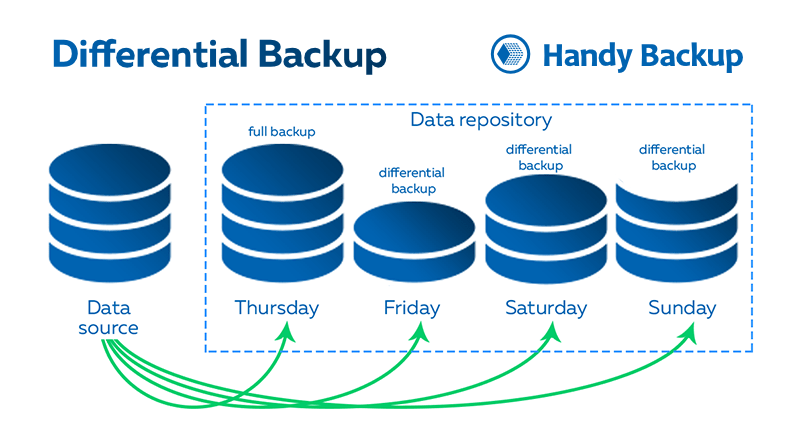
A differential backup contains all data that has been created or modified since the last full backup. The first task run creates a complete copy of the selected files and folders. Each subsequent differential backup compares the current data with that full copy and saves the accumulated changes.

Thursday
Creates the initial full backup of all selected data.
Friday
Saves changes made after the initial backup created on Thursday.
Saturday
Includes additional changes accumulated during the backup cycle.
Sunday
Contains all changes accumulated since Thursday's full backup.
Benefits of Differential Backup Software

Faster Routine Backups: reduce the amount of data copied between full backup cycles, saving time and resources.
Simpler Recovery: restore data using the latest full backup and one differential copy instead of multiple backup versions.
Efficient Storage Use: store only accumulated changes and reduce storage consumption between scheduled full backups.
Automatic Scheduling: run backup tasks automatically using daily, weekly, monthly, or custom schedules.
Flexible Backup Storage: save copies to drives, NAS, network locations, servers, and supported cloud storage services.
Additional Data Protection: use encryption, compression, versions, logs, and reports for secure backup management.
Differential vs Incremental Backup
Both backups save only changed data during subsequent backup tasks. The main difference is the point used to calculate these changes: differential backups track accumulated changes within the backup cycle, while incremental backup compares data with the previous backup to determine what should be copied.
| Comparison | Differential Backup | Incremental Backup |
|---|---|---|
| What is copied | All changes made since the last full backup | Changes made since the previous backup |
| Backup size | Usually grows until the next full backup | Usually smaller for each individual backup |
| Recovery requires | The full backup and the required differential backup | The full backup and all subsequent incremental backups |
| Recovery process | Faster and simpler because fewer backup sets are needed | More complex because the entire backup chain must be processed |
| Best suited for | Scenarios where fast and straightforward recovery is important | Scenarios where minimizing each backup size is the main priority |
Explore different backup methods and learn how various approaches can help you choose the right protection strategy for your needs in our detailed overview of types of data backup.
Mixed Full and Differential Backup
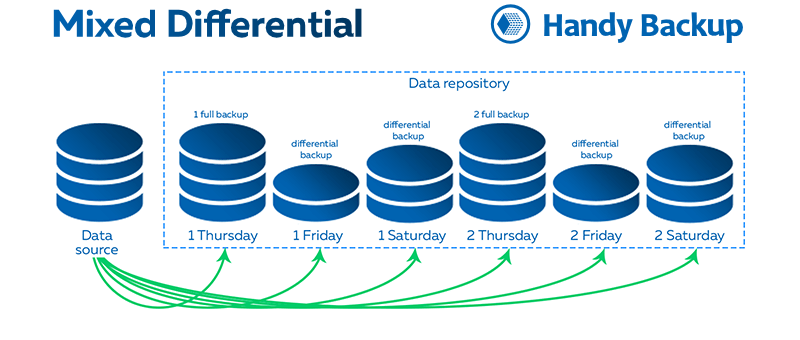
Such backup combines periodic full backups with scheduled differential backups. Once the configured chain is completed, Handy Backup automatically starts a new backup cycle and repeats the process.
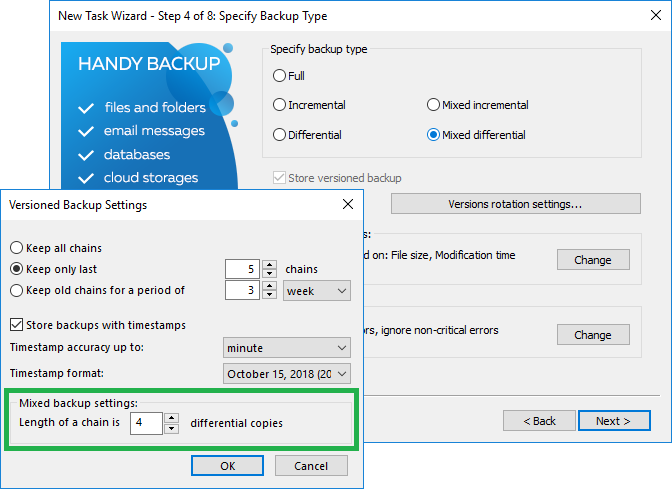
You can configure how many copies are created before Handy Backup automatically starts a new backup cycle.
Ideal for protecting business documents, project folders, photos, and shared working files while keeping backup chains predictable.
This approach prevents these copies from growing indefinitely, refreshes the backup chain at regular intervals, and keeps storage usage and data recovery predictable.
Typical Backup Cycle
Thursday
Full Backup
↓
Friday – Wednesday
Differential Backups
↓
Next Thursday
New Full Backup Cycle
Recommended Solution
Lifetime license

Handy Backup Standard
Try an affordable and easy-to-use differential backup solution for one PC. Handy Backup supports differential, incremental, and mixed backup methods to keep your important data protected with flexible automation options. Download the free 30-day trial and explore all features for reliable data protection.
What Data Can Be Protected with Differential Backup?
In Handy Backup, differential backup is particularly useful for file-based data that changes regularly:

Documents and working folders
Office files, contracts, reports, spreadsheets, presentations, and project directories.

Photos and media collections
Images, RAW files, videos, design projects, and editing libraries stored as regular files.

Shared network data
Folders used by employees on workstations, file servers, and NAS devices.

User profiles and application files
Selected configuration files, templates, archives, and other regularly updated data.

Website and development files
Source code, scripts, local website copies, and project repositories stored in folders.

Archives and backup collections
Compressed archives, exported data, historical files, and other important stored information.
How to Create a Differential Backup in Handy Backup
Creating a differential backup in Handy Backup takes only a few steps. The Backup Task Wizard allows you to configure automated backup jobs for files, folders, and other supported data sources.
- Open Handy Backup and create a new Backup Task. Select the files, folders, or other data you want to protect.
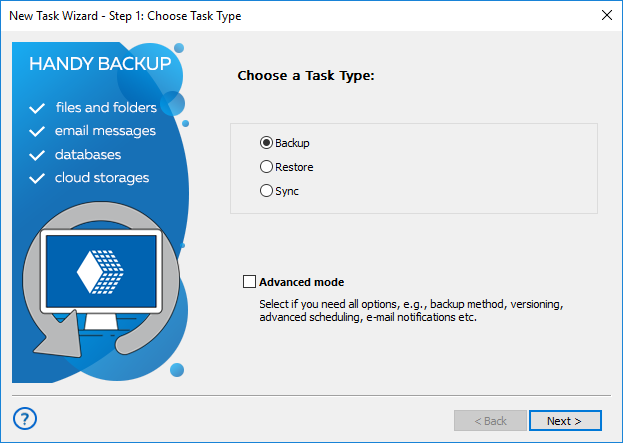
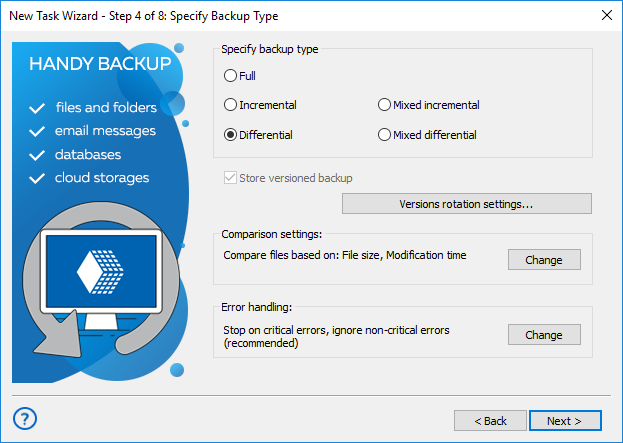
- Select Differential Backup as the backup type and choose a destination such as a local drive, NAS, FTP/SFTP server, WebDAV, S3-compatible storage, or supported cloud service.
- Configure a daily, weekly, monthly, or custom schedule. Once configured, Handy Backup will automatically create differential backups according to your settings.
Learn more about weekly backup and how incremental and differential backup technologies help optimize storage space and automate data protection.
How to Configure Mixed Differential Backup
Mixed differential backup combines periodic full backups with a predefined number of subsequent copies in a single automated task.
- Open the Advanced Backup Task Wizard, select Mixed Differential Backup, specify the backup chain length, and save the task.
Note: Handy Backup automatically creates the initial full backup, performs the configured number of subsequent copies, and then starts a new backup cycle with another full backup.
Restoring Data from a Differential Backup
Recovering data from a differential backup is simple because only the full backup and the selected differential backup are normally required.
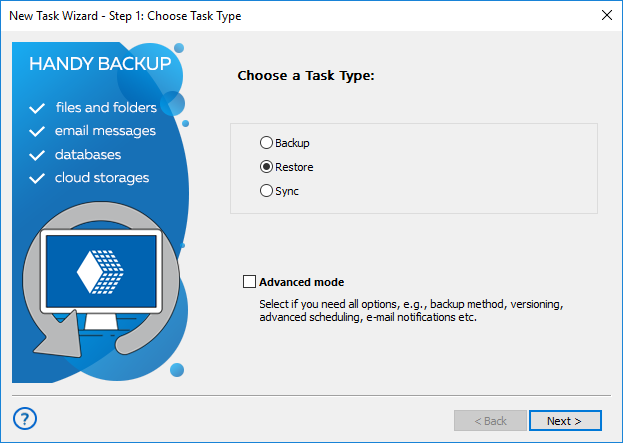
- Create a Restore Task, select the required backup version, choose the files or folders to recover, and start the restoration process.
Tip: If backup data is stored without compression or encryption, files remain in their original format and can also be accessed directly from the backup storage.
Differential Backup: Use Case


Backup Schedule
Create a weekly full backup and run automatic differential backups during the following days.

Example Weekly Plan
Thursday full backup, followed by daily differential backups from Friday through Wednesday.

Why Differential Backup
Changed files are copied while unchanged data remains protected by the original backup.

Restore Scenario
Restore deleted or damaged files using the Thursday backup and the latest differential copy.

Initial Data
A home user protects documents, photos, videos, downloads, work files, and project folders stored on a PC.

Retention Policy
Keep several weekly backup sets and remove older copies automatically to save storage space.
User profiles and application files
Selected configuration files, templates, archives, and other regularly updated data.
FAQ about Differential Backup Software
What does differential backup software do?
It creates an initial full copy and then saves files and folders changed during subsequent backup tasks. Each subsequent copy contains the accumulated changes required to restore data together with the initial copy.
Is differential backup faster than full backup?
It is usually faster because it copies only data changed during the current backup cycle. However, these copies become larger as more data changes, so a new full backup should be created periodically.
What is the difference between incremental and differential backup?
An incremental backup saves changes made since the previous backup, while this method saves all accumulated changes during the current backup cycle. Incremental copies are generally smaller, but recovery with this method requires fewer backup components.
What backups are required for differential recovery?
To restore a particular data state, you generally need the initial full backup and the copy created for the required date.
How often should a full backup be created?
The frequency depends on how quickly the data changes, available storage, and recovery requirements. A common scheme is one weekly full backup followed by daily copies.
Can Handy Backup run differential backups automatically?
Yes. You can configure a schedule for regular backups or use mixed differential mode to create a specified number of copies automatically before starting a new backup cycle.
 Download Trial
Download Handy Backup and create reliable differential backups with automated scheduling, flexible storage options, and simple data recovery.