SMB Backup Solution – Handy Backup
SMB Backup Software refers to specialized tools designed for small and medium-sized businesses to protect their data through regular and reliable backups. These tools help SMBs manage and secure their data by automating backup processes and providing recovery options in case of data loss.
Experience exceptional data protection for SMB business with Handy Backup, a leading choice among SMB backup solutions. Enjoy peace of mind with our 30-day free trial, allowing you to explore a comprehensive suite of features designed to safeguard your data with ease and efficiency.
 Download for Free
Version 8.7.0 , built on May 7, 2026. 152 MB
30-day full-featured trial period

Potential Threats to SMB Data
If you are managing a modern SMB business, or overseeing a large project, you are likely acutely aware of the need to constantly ensure data safety and take proactive steps to protect it from any form of compromise or disruption.

Data Breaches
Unauthorized access to sensitive data can lead to severe privacy issues and financial losses.

System Failures
Unexpected hardware or software failures can result in data loss and operational disruptions.

Cyber Attacks
Malware and ransomware attacks can compromise data integrity and availability.
Benefits of Handy Backup SMB Data Protection Software
Benefit from Handy Backup’s robust features and see how it excels within the array of SMB backup solutions designed for small and medium-sized businesses.

Automated Processes
Automate backups to minimize errors and ensure data is always up-to-date, freeing up IT staff to focus on more strategic, high-priority tasks.

Data Synchronization
Ensure seamless data synchronization across locations to maintain consistency and enhance collaboration for remote teams.

Time and Resource Savings
Reduce storage costs and backup time with incremental, differential, or mixed backups. Optimize your resources and free up staff to focus on critical tasks.

Encryption and Archiving
Secure your data with AES-256, AES-152, or Blowfish encryption. Utilize archiving features to store backups efficiently while saving storage space.

Custom Plugins
Create custom plugins to fit your unique business needs. Integrate with specific applications or data formats to develop solutions tailored to your requirements.

Lifetime License
Invest in a cost-effective lifetime license and enjoy long-term value without recurring fees. Get reliable backup solutions designed for your budget.
Handy Backup offers three distinct SMB backup solutions tailored to the needs of small and medium-sized businesses: Standard, Professional, and Small Business. Here’s how each version aligns with your specific requirements for efficient SMB backup:
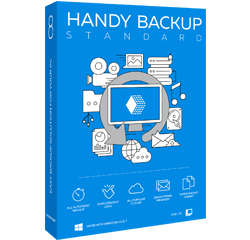
Handy Backup Standard
Best for: Small businesses needing basic backup of files, emails, and simple applications.
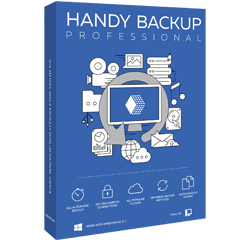
Handy Backup Professional
Best for: Companies needing advanced data protection, including system backups and secure cloud integration.
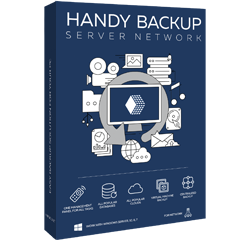
Handy Backup Small Business
Best for: Businesses that rely on databases and virtual machines and need comprehensive data protection.
When to Choose: Opt for Handy Backup Standard if you need essential file and email protection and cloud synchronization. Ideal for small office/home office (SOHO) environments, it offers basic backup solutions and support for network devices like FTP and NAS.
When to Choose: Opt for Handy Backup Professional if you need advanced features like disk image creation, system recovery, and live backups. This version is perfect for businesses with complex infrastructures that require secure backups to advanced cloud services via SFTP or FTPS.
When to Choose: Choose Handy Backup Small Business if your company needs to back up databases or virtual machines. It supports MySQL, Oracle, MS SQL Server, Hyper-V, and VMware, making it an ideal choice for robust SMB backup, data security, and recovery for critical systems.
Key Features of Standard Edition:
- Backup Windows files or folders.
- Sync with popular cloud services like Google Drive, Dropbox, and others.
- Backup to FTP, NAS, and network devices.
Expands the Standard Edition to include:
- Full disk image and system backups.
- Integration with Amazon S3 and OneDrive for Business.
- Backup to secure SFTP and FTPS protocols.
Expands the Professional Edition with:
- Backup support for databases like MySQL, PostgreSQL, MS SQL, Exchange, and others.
- Backup of Hyper-V and VMware virtual machines.
SMB Backup Best Practices

3-2-1 Strategy
Implement the 3-2-1 backup strategy: keep three total copies of your data, two of which are local but on different devices, and one copy off-site. This approach provides redundancy and ensures data recovery in various disaster scenarios.

Test Backup Restorations Regularly
Periodically test backup restorations to verify that data can be successfully recovered. This practice ensures that backup procedures are effective and that recovery processes are smooth and reliable.

Monitor Backup Performance
Regularly monitor and review backup performance and logs to identify potential issues or bottlenecks. Performance monitoring with our SMB backup software helps optimize backup operations and ensures timely backups.

Set Up Backup Alerts and Notifications
Configure alerts and notifications to stay informed about backup statuses, successes, or failures. Prompt notifications enable quick responses to backup issues and minimize data loss risks.

Establish Data Retention Policies
Define and enforce data retention policies to manage how long backups are kept and when they should be deleted. Proper retention policies help in managing storage costs and ensuring compliance with legal or regulatory requirements.

Integrate Backup with Disaster Recovery Plans
Ensure that your backup strategy is integrated with a comprehensive disaster recovery plan. This ensures that in the event of a major incident, data can be quickly restored, and business operations can resume with minimal disruption.
Secure SMB Data Backup with Handy Backup
- Open Handy Backup and create a new task by selecting the "New Task..." option. Choose the backup task type and be sure to check the "Advanced Mode" for extra control over your settings.
- In Step 2, choose your data source. For this demonstration, we will back up a folder named Financial_Reports_2024, which contains various important documents.
In this guide, we’ll walk you through the process of configuring an automated OneDrive backup for your SMB files using Handy Backup.

- In Step 3, choose your backup destination. Select either OneDrive or OneDrive for Business from the list of plugins.
- To configure the OneDrive connection, click on the "New Configuration" option twice.
- In the pop-up window, click the "Connect to OneDrive" button to authorize the connection.

- The program will redirect you to the OneDrive authorization page. Log in to your OneDrive account and grant Handy Backup access.
- After successful connection, proceed to the next step.
- Now, customize the settings for scheduling, archiving, version control, encryption, and other advanced options.
- Enable email notifications to receive detailed reports on the success of your backup tasks directly to your inbox.
Note: We respect your privacy. In line with our policy, we do not store any OneDrive data on our servers. All data remains securely between your device and OneDrive.
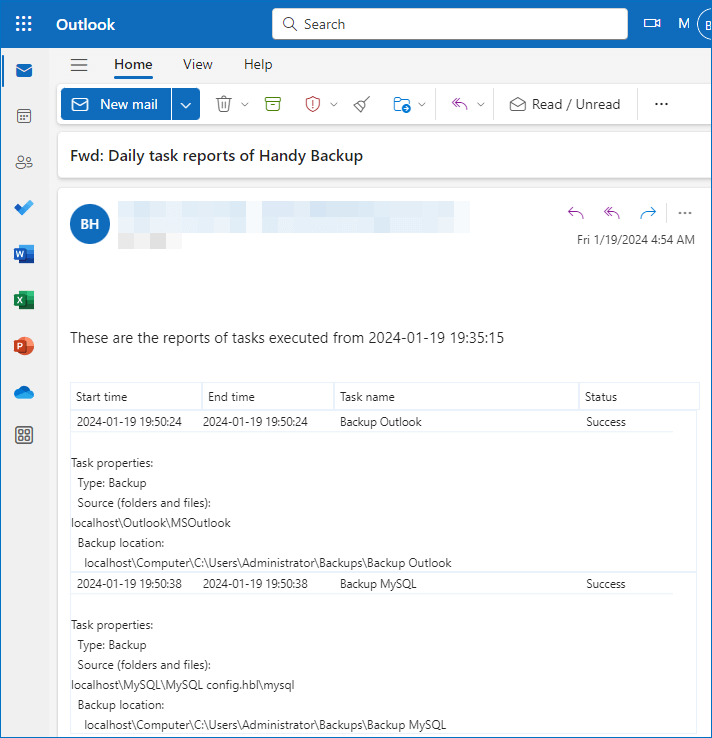
- Give your backup task a name and confirm the setup. Your task is now fully configured and ready to keep your financial records safe automatically!
- Easily review the backup logs or reports to quickly identify any issues or errors. This way, you can ensure your financial documents are backed up without manual intervention or disrupting your workflow.
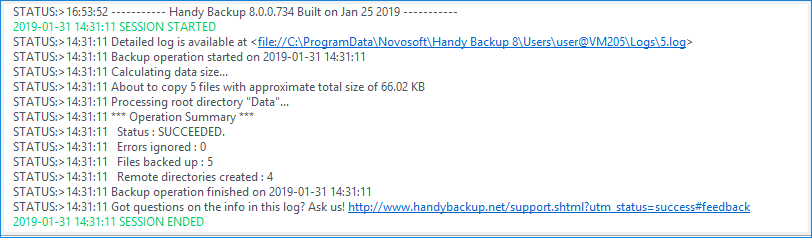
- Lastly, be sure to periodically verify that your backups are properly saved to OneDrive and accessible in case you need them in an emergency.
Your backup task is now set up! It will run automatically based on the schedule you configured. No further action is needed unless you change your OneDrive account information. Enjoy peace of mind knowing your crucial SMB data is always protected with Handy Backup!
Curious to see how our SMB backup software can transform your data protection? Download our 30-day free trial and explore all the features that will keep your business data safe and secure. Get started today and see the difference!
Download for Free
Version 8.7.0 , built on May 7, 2026. 152 MB
30-day full-featured trial period