Workstation Backup Software for Windows - Handy Backup
Handy Backup for Workstations is the unified, easy-to-use workstation backup software solution for Windows.
It can save user-level data from a bunch of remote machines under the guide of a single Handy Backup utility called a Management Panel and controlling all computer backup operations.
 Download Trial

List of Supported Databases: MySQL, MS SQL, Oracle, Postgre SQL etc.
Why You Need Workstation Backup?

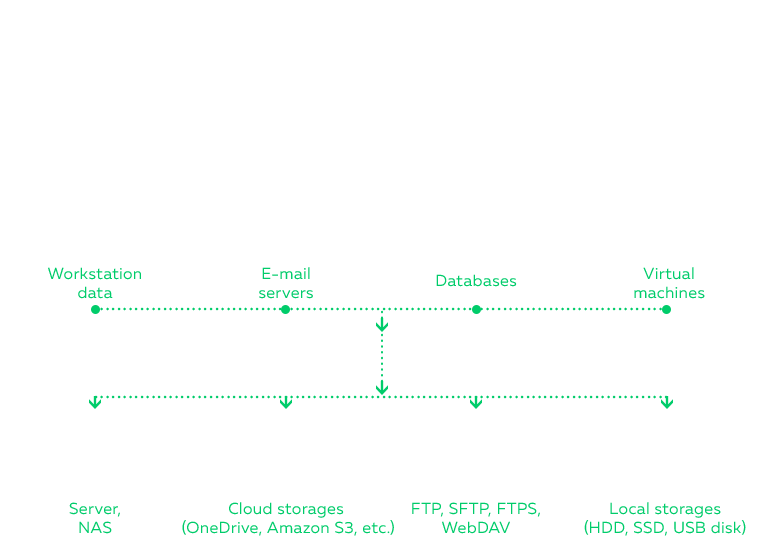
Best workstation backup software can protect your business data and solve many other tasks, from minimizing downtime for workstation upgrades and repairs to sending data copies over distributed office networks to cloning a preset environment for as many workstations as you need. Some examples:
- Centralized workstation backup in a local network environment;
- Backup workstation to server for quick recovery after some maintenance operations;
- Cloning ("kiosking") data copies from workstation backup to corporate-level shared storage.

Plug-in Extensions
A user can expand the basic functionality of this workstation backup software by using more plug-ins, for example, to save SQL database content from a particular DBMS such as MySQL, MS SQL and others.

Reporting and Notifying Users by Emails
You can set up sending task notifications and regular reports to an email address provided in system settings, for informing a user or a system administrator about workstation backup task results.

Backup Workstation Level Data
This software can perform automatic backup from remote FTP, SFTP, and FTPS services (e.g., static website content), cloud accounts, mapped drives, and NAS units, among others.

Hot Backup of PC Files and Folders
As one of the best workstation backup solutions for small business purposes, this software can save any user files and folders, even those processing by other programs.

Supporting Linux Remote Machines
Handy Backup can perform remote computer backup for a Linux workstation. It has a capability to copy Linux files, folders and some other content natively.
Learn about installing Handy Backup on OS Linux.
Key Advantages of Disk Image Backup with Handy Backup
Handy Backup can make a hot copy of a remote system image, creating either a consistent binary image or a VHD file, readily mountable as a virtual machine drive or as a virtual disk for browsing its content.

You can use disk imaging for such tasks as system recovery to bare metal or after crashes, cloning a preconfigured system environment to many computers, taking a workable snapshot for using it on virtual machines, mapping images as virtual drives, or just for cloning disk data.
Along with Handy Backup for Workstations, there is a free copy of the Disaster Recovery utility, which can save or recover a drive image through a bootable USB device, without a need for a copy of Handy Backup on a particular local machine. This is very efficient and convenient tool!
The Single Management Panel for All Backup and Recovery Tasks
Handy Backup for Workstations centralizes all tasks and operations, requiring no physical presence for remote computer backup operations.
Supporting All Actual Data Storages
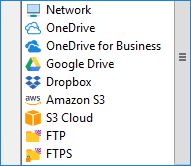
The solution supports a great amount of storages, such as local and external drives, FTP, SFTP, FTPS, shared folders and commercial clouds like Amazon S3, Dropbox and popular backup to Google Drive!
Flexible Backup Tuning
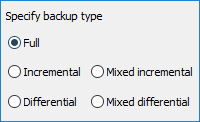
Workstation backup software contains many options for saving data, such as incremental, differential and mixed backups, versioned backups, as well as scheduling backup tasks by a period or an event.
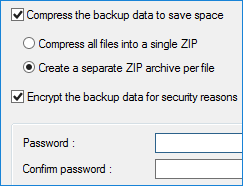
Compression and Encryption Features
The program have built-in options of 128-bit modified BlowFish encryption and data compression for backups. These options add greatly to security and economy of both traffic size and storage space.
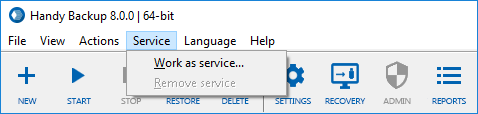
Running Silently as Windows Service
This option allow the program and its clients to make no distractions for users when performing its tasks. Workstation backup in a silent mode will free the user time for more creative tasks.
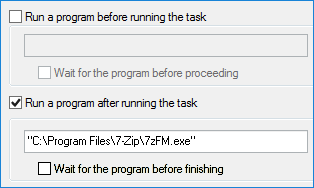
Running Other Programs Before or After a Task
Using the pre- and post-action feature allows running other software or batch files before or after completing a task. A user can assemble workstation backup operations into a single complete workflow.

Native Backup Formats Allow Quick Restoration and Browsing
The program keep backups in native data formats, so any user can open a backup folder to browse its content, to view or even modify a particular single file without a complete restoration of all dataset.

High Speed and Effective Hardware Usage
Many optimizations such as multi-threaded data transferring engine and fast internal algorithms make this workstation backup solution very fast and undemanding to system resources.

Advanced Interface
Such features as a comprehensible GUI, task wizard, report window and optional email notifying about any significant event greatly enhance the overall usability of this solution.

Lifetime Licensing, NO Hidden Costs, NO Fees
Under any product for any major version of Handy Backup, the license is last only when this product lifetime ends up. The price tag contains no hidden costs and fees, and all minor updates are free.
Workstation backup software solution for Windows, Handy Backup for Workstations works under MS Windows 11/10/8/7 and Windows Server 2019/2016/2012(R2)/2008(R2). It also supports Linux remote machines, especially those based on Ubuntu 16.04 and 14.04. It requires no special hardware.


Licensing Information
To order a backup solution for workstations, you need the Management Panel and Workstation Agents:
Handy Backup Server Network* |
$299 |
Workstation Agents |
$39 per unit |
Server Agents |
$149 per unit |
* Handy Backup Server Network installation also includes one Server Agent to back up the computer where it is installed. |
|
Video Tutorial - How to Install Workstation Agents
This video tutorial will guide you through installing the Server Backup Solution and Workstation Agents. In addition, it shows how to configure these workstation agents to work properly.