-
Handy Backup English
Operation Types
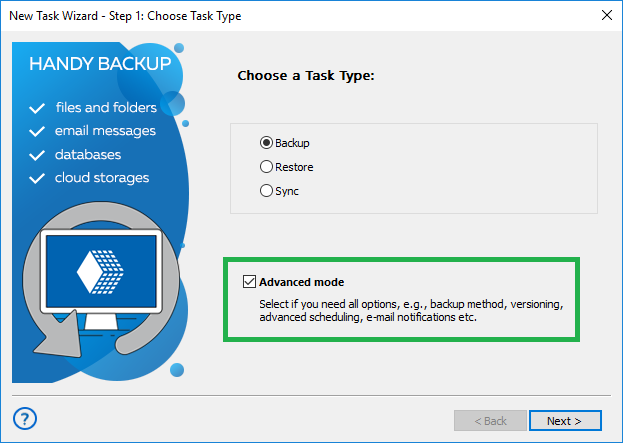
Handy Backup allows you to perform three types of operations: backup, restore and synchronization.
Backup
Backup task is the most frequently used type of operation. It is used to copy your important data to another storage location. If files at the original location happen to get corrupted or deleted, you will be able to restore them from their backup copies. Handy Backup supports two types of backup:
- Full backup - the program copies all selected data to the destination folder each time the backup task is executed
- Incremental backup - the program checks for changes in file sizes or modification times since the previous backup, and copies only those files that have been altered. Incremental backup processes fewer amounts of data and requires noticeably less time to perform the operation.
- Differential backup - the program checks for changes in file sizes or modification times since the Full backup, and copies only parts of files that have been altered, on byte level. This is greatly useful for backing up databases and disk images.
Handy Backup supports two principal backup technologies: files-based backup and image-based backup. While files-based backup can be used to copy data represented in the file system as separate files only, image-based backup allows you to perform physical duplicating of your disk and create drive images that contain all system data. To learn more about image-based backup, refer to Image Backup.
Note: If you select incremental or differential backup when backing up for the first time, the program will perform a full backup. The next time you will launch the task, it will back up only changes.
Restore
Restore task is used for restoring data from a backup copy if the original data is for some reason lost or corrupted. Handy Backup can perform two types of restore:
- Full restore – the program restores the whole data set each time the restore task is executed
- Incremental restore – the program checks for changes in file sizes or modification times since the previous restore and restores only those files that have been altered
Handy Backup allows you to restore your data to their original locations, or select any different local or network location.
Synchronization
Synchronization task is used to sync files between two different locations (for example, your home and office machine). You can also synchronize data with a remote FTP server. Handy Backup can perform three types of synchronization:
- Copying from the first folder to the second – the program copies files/folders from the first folder to the second;
- Copying from the second folder to the first – the program copies files/folders from the second folder to the first;
- Mirroring both folders – the program makes contents of both folders identical.
Synchronization task has several options that allow specifying files priorities, using file masks for files selection, etc.
Installing Handy Backup Installing Handy Backup Server NEW! Installing Handy Backup Disaster Recovery Installing Handy Backup under Linux Updating Handy Backup from Earlier Versions Registration Plug-ins How to Backup (Articles)
File Backup - back up individual files and folders stored in local, LAN and FTP locations Email Messages Backup - back up e-mail box directly from your mail server Image Backup - perform complete hard disk image backup with all data and operating system Email MS Exchange Backup - back up and restore Microsoft Exchange Server stores Lotus Notes Backup - back up Lotus Notes without stopping the service ODBC Database Backup - protect your databases by regular backups
Backup to LAN, Local and External Drives - store your backups at any drives visible in Windows Explorer Backup to FTP - offsite backup to remote FTP server provides maximum reliability Backup to SFTP - transfer sensitive data to a remote server via secure SFTP protocol Backup to CD-R/CD-RW - burn your backups to optical disks with multi-drive spanning and verification options Backup to DVD/HD DVD/Blu-Ray - record important data to DVD disks using the integrated burning tool Handy Backup Online - store backups at Novosoft Online Backup Service instead of third-party providers