FTPS (FTP over SSL/TLS) Server Backup
FTPS server backup software will help you storing data copies by FTPS, one of the most secure network data transfer protocols. Being an acknowledged FTP backup software solution, newest versions of Handy Backup also contain a dedicated plug-in for easy, secure and reliable FTPS backup.
 Download for Free
Version 8.7.0 , built on May 7, 2026. 152 MB
30-day full-featured trial period

What Is FTPS for Remote Data Backup Storage
FTPS (also known as File Transfer Protocol Secure and FTP-SSL) is righteously recognized as a powerful version of FTP extended with the TLS (Transport Layer Security) and SSL (Secure Sockets Layer) cryptographic protocols.
Advantages of Backup to FTPS
An FTPS storage provides some advantages over traditional FTP services, including not only more protected storage itself but also a healthy level of protection during data transfer. It can be especially actual when transferring sensitive data via the open Internet or from some public location.

In matters of disadvantages, FTPS brings up to no obstacles or problems to a user over a traditional FTP solution. Slight disadvantages can include a bit more complex connection setup and a little slower speed of data exchange, due to transitional actions.
FTPS Backup Software Opportunities for Remote Backup
In terms of safety, FTPS is friendly for backup, but data management options provided by standard file-exchanging tools can seem a bit dull and unsuitable for backup purposes. To expand these options, you can use specialized FTPS server backup software, designed for such tasks as remote backup to FTPS.
Benefits of Backup from FTPS
FTPS protocol solves one of the most serious problems of FTP: lack of security for data transfer (generally, FTP-transferred data is unencrypted, which means there is jeopardy of illegal access). Main advantages of FTPS over FTP are:
- Good level of extra data-transferring protection;
- Almost the same efficiency and speed as common FTP (compared to more complex protocols).
Crucial Features of FTPS
With its TLS/SSL, FTPS provides server-side public key authentication and client-side authorization certificates. It supports ciphers AES, RC4, RC2, Triple DES, and DES. In addition to advanced data protection, FTPS backup storage provide users with a bunch of other advantages:
- Macros and scripting capabilities for data management;
- Low consumption of system resources;
- Functionality for adding items to a "queue" of uploads/downloads;
- No size limits for single transfers to or from data storage.

Testimonials About FTPS Backup Software by Handy Backup
Recommended Solution
Lifetime license

Handy Backup Professional
Get advantage of the secure file transferring with Handy Backup Professional, officially awesome FTPS backup software. Free 30-days trial version!
Features of Backup to FTPS with Handy Backup
Here is a bunch of options of the featured software helping with remote backup to FTPS:
- Handy interface. An FTPS server itself has no interface. It receives all commands via the command line. Handy Backup has a user-friendly graphical user interface, which helps you setting backup options fast and easy.
- Handy configuration of FTPS server backup. With Handy Backup, you can copy data to a secure FTPS media storage, even if your computer is behind a proxy server (FTP or SOCKS5/SOCKS4). All you need is to specify the FTPS site name and login data.
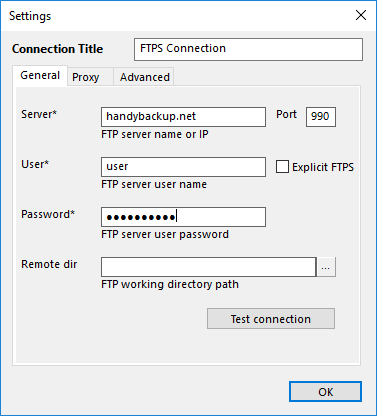
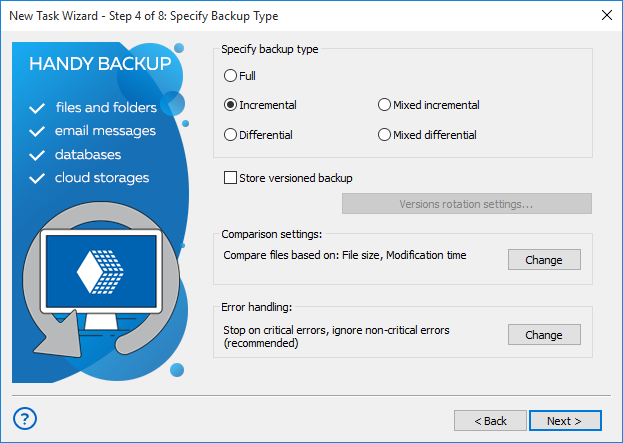
- FTPS incremental backup. Handy Backup synchronizes local information about the backup set with files on the FTPS backup storage and copies only changed/modified ones.
Choosing Off-site Backup Server Software: Commercial VS Freeware
Reducing side costs (e.g., payments for IT infrastructure) is a constant trend for business. Using FTPS backup freeware can look like an optimal solution for FTPS server backup strategy. Is it really so good?
Direct Comparison
Comparing commercial and freeware FTPS backup solutions you can see that the last ones have a nice advantage: they are free. In addition, commercial solutions might also provide users with useful options which freeware might be generally missing.
- Flexible functionality extension. Handy Backup exploits a novel plug-in system allowing users a functionality extended for careful backup of popular apps and data types (say, for MS SQL Server and ODBC-compatible database backup).
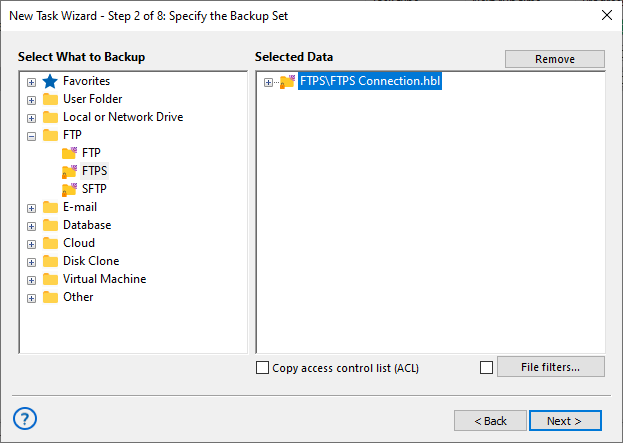
- Data safety. In addition to FTPS inner security, the featured software manages FTPS backup with the use of 128-bit data encryption. Therefore, your data get something around 99% of protection from unauthorized access.
- Unlimited support. FTPS backup freeware users commonly have to solve problems themselves. On the other hand, Handy Backup users have a professional tech support available by phone, email etc.
Video Tutorial: Utilizing Handy Backup as FTPS Server Backup Software
From the video presented here, you will learn how to use Handy Backup for saving data to a common FTP server. You will see how to make a new task for FTP backup, configure a connection to an FTPS, and manage backup data.
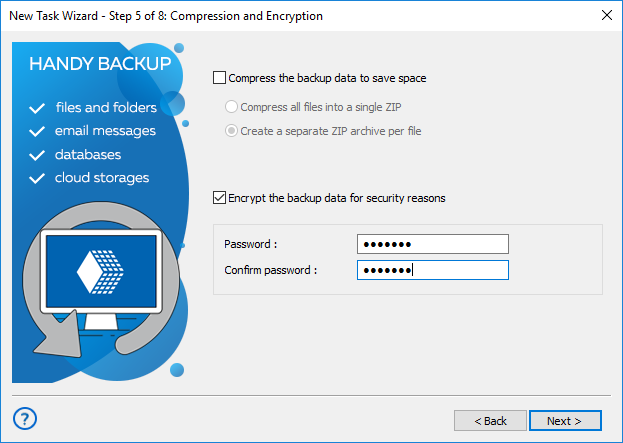
Note: Please note that for using Handy Backup as FTPS backup software, you must only select FTPS instead of FTP in the plug-in list, and configure it properly. That is the only difference that you can consider!
Download for Free
Version 8.7.0 , built on May 7, 2026. 152 MB
30-day full-featured trial period
Get the latest version of Handy Backup and you will have the most powerful and reliable FTPS backup solution at hand! Free 30-day trial version!
"Backup to FTPS works well! It is fast and very easy for any task we have. We are using it in SoHo for gathering results and temporary components of our office projects, and it works great!"
Martina Cowell, an office manager