Remote Backup Services
What is Remote Backup?
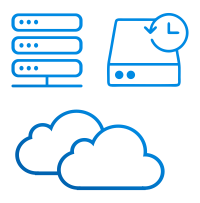
Remote backup, also known as cloud backup, involves regularly saving and storing copies of your essential data on remote servers located in data centers. This approach guarantees access to your data even in the event of local system failures or natural disasters.

Key Features of Remote Backup
Encryption: Many providers offer data encryption for added security.
On-Demand Recovery: You can retrieve data at any time, providing flexibility.
Version Control: Some services keep multiple versions of files, useful for accidental deletions or changes.

Advantages of Remote Backup

Drawbacks of Remote Backup
Reliability and Security: Data centers equipped with modern security systems ensure the safety and reliability of your data.
Scalability: You can easily expand your storage as needed without additional hardware costs.
Automated Backups: The process is usually automated, saving you time and effort.
Internet Dependency: You need an internet connection to access your data. No connection means no access.
Monthly Costs: Remote backup services are typically subscription-based, leading to ongoing monthly expenses.
Data Security: To prevent data breaches, it's crucial to choose a reliable remote backup provider that offers strong offsite backup software.
Cost Factors
Cost factors for remote backup services include data volume, backup frequency, provider choice, data retention duration, additional services, data deduplication, compliance, software licensing, bandwidth usage, and disaster recovery options.

A Variety of Remote Backup Methods and Devices
When it comes to remote backup, there's a wide array of methods and devices to choose from. These include:
- Physical Storage: Utilizing physical drives, including HDD, SSD, and external drives, for local and remote backups.
- Network-Attached Storage (NAS): NAS devices act as central data repositories accessible remotely.
- Cloud Storage Services: Cloud storage solutions, such as Google Drive, Dropbox, Backblaze, Box, OneDrive, OneDrive for Business, Amazon S3, and other S3 clouds, offer convenient data access and collaboration.
- File Transfer Protocols: Protocols like FTP, SFTP, and FTPS enable remote file management and data transfer.
- Network Storage: Storing data on network devices accessible from multiple workstations and servers.
Handy Backup: Your All-in-One Solution
Handy Backup is a versatile remote backup software that provides comprehensive remote backup capabilities. It offers a user-friendly interface and supports various remote backup methods and devices, including physical storage, NAS, cloud storage services, file transfer protocols, and network storage. In conclusion, remote backup services and methods are crucial for safeguarding your data. Selecting the right provider and configuring your backup settings correctly ensures the secure storage of your valuable information. Handy Backup, with its wide range of compatibility, serves as a reliable all-in-one solution for remote backups, making it easier to protect your data.
 Download for Free
Version 8.7.0 , built on May 7, 2026. 152 MB
30-day full-featured trial period

See also: