Microsoft Exchange Server Backup Solution
Microsoft Exchange backup software from Handy Backup creates automated copies of Exchange databases and mailbox data for recovery to local, network, remote, or cloud storage. The dedicated MS Exchange plug-in works with Exchange Server 2019, 2016, 2013, 2010, and earlier versions, while scheduling, versioning, encryption, and reporting help administrators manage regular Exchange backup tasks.





MS Exchange Backup Solution: Best Practices
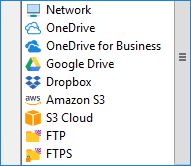
Separate Backup Storage
Keep Exchange backup copies separate from the active mail server. Handy Backup can save data to local and external drives, network storage, FTP/SFTP/FTPS servers, Amazon S3, OneDrive, Google Drive, Dropbox, and other available destinations. A cloud backup can also provide an offsite copy outside the Exchange environment.

Scheduled Exchange Backup
Automatic scheduling reduces dependence on manually started jobs. Exchange backup tasks can run daily, weekly, monthly, at selected intervals, or after specified system events, depending on the required recovery schedule.
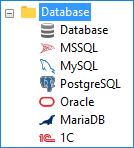
Server-level Backup
Exchange is often only one part of a business server environment. Along with Exchange data, Handy Backup can create separate tasks for files, folders, databases, disk images, and other workloads. See our Windows Server Backup Tool for broader server backup scenarios.
Key Features of Handy Backup for MS Exchange

Automatic Scheduling
Run MS Exchange backup tasks on a defined timetable or start them after selected system events.

Hot Backup
Use Microsoft VSS technology to create Exchange data copies without manually stopping the application before every task.

Logs and Reports
Review detailed task logs and configure email notifications to follow completed jobs, warnings, and errors.

Encryption and Compression
Apply AES encryption and compression when required by the Exchange backup configuration and storage policy.

Pre- and Post-task Actions
Run external programs or scripts before or after an Exchange backup job to coordinate related server operations.

Backup Versions
Keep several recovery points and configure retention instead of relying on only the latest Exchange backup copy.
MS Exchange Backup Software for Mailbox Databases
Handy Backup uses the dedicated MS Exchange plug-in to access Exchange data through the backup task wizard. Administrators can select Exchange data and create recurring tasks without treating an active Exchange database as ordinary files.
The same interface is used to configure storage, schedule, backup options, notifications, and other task settings. This makes Exchange Server backup part of the same workflow used for other business data managed with Handy Backup.
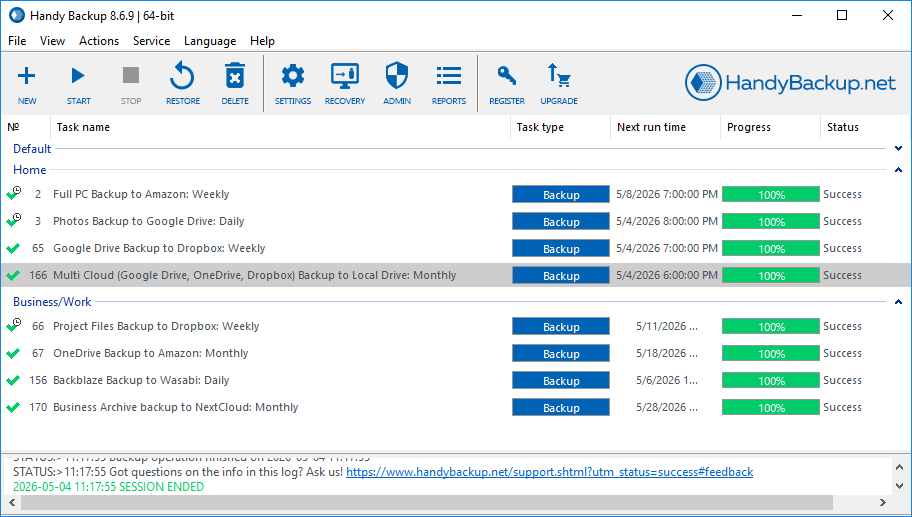
Recommended Solution
Lifetime license

Handy Backup Small Business
Handy Backup Small Server is suitable for backing up Microsoft Exchange together with other business data stored on the same server. In addition to Exchange databases and mailbox data, it can back up files and folders, disk images, MySQL, MariaDB, PostgreSQL, Microsoft SQL Server, Oracle databases, and other application data.
Handy Backup Review
We backup Exchange Server for our company with Handy Backup over the five years, and it is still a same task that does all backup work for us, created once upon a time and working for now without any stop or mishap.
Alisher M. Johandi, The Small Marketplace Food Co.
How to Back Up Microsoft Exchange Server with Handy Backup
Create an MS Exchange backup task through the New Task Wizard and select the required Exchange data with the dedicated plug-in.
-
Create a backup task. Open Handy Backup and start the New Task Wizard. Select Backup on Step 1 and continue to the data selection step.
-
Open the E-mail group. On Step 2, expand the E-mail section containing the Microsoft Exchange backup plug-in.
-
Select MS Exchange. Click the MS Exchange plug-in to open the Exchange data selection dialog.
Note: In Handy Backup Server Network, select the required network machine before choosing Exchange data when the mail server is managed through a remote Network Agent.
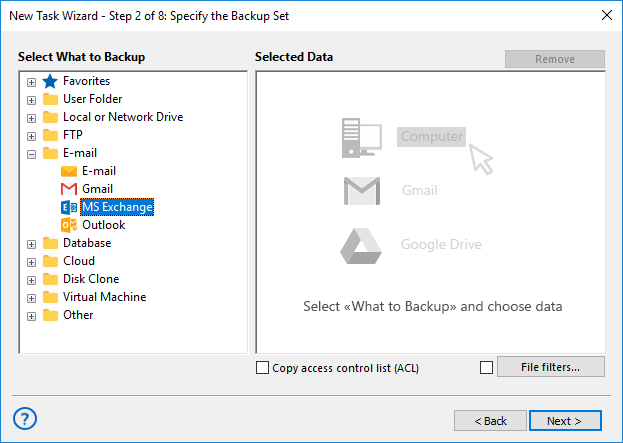
-
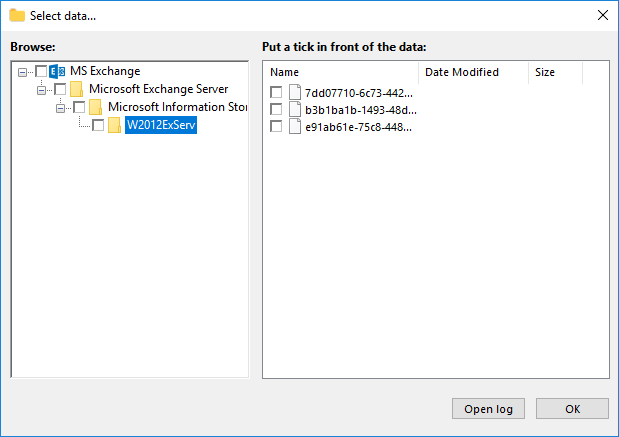
Select Exchange data. Browse the Exchange data displayed by the plug-in and mark the required databases or available mailbox data.
-
Choose storage. Continue through the wizard and select the local, network, remote, or cloud destination for the backup copy.
-
Configure the task. Set the required schedule, retention, encryption, compression, notifications, and other available options.
-
Finish the task. Give the task a clear name, save it, run the first Exchange backup, and review the task log after completion.
For additional configuration details, see the MS Exchange plug-in User Manual.
Note: Microsoft 365 email uses a different backup workflow. See our Microsoft 365 email backup tool for information about cloud-based Microsoft mail accounts.
Plan Exchange Backup Around Recovery Requirements
An Exchange backup strategy should define not only when copies are created, but also how much recent data the organization can afford to lose and how quickly mail services must be restored after an incident.
Define RPO and Backup Frequency
The recovery point objective (RPO) determines how much data loss is acceptable. Exchange environments with frequently changing mailbox databases may require shorter backup intervals than systems where changes are less frequent.
Handy Backup allows administrators to schedule recurring Exchange backup tasks and keep multiple backup versions, making it possible to align backup frequency and retention with recovery requirements.
Use Exchange-aware Backup
Active Exchange databases should be backed up with an application-aware method rather than copied as ordinary files. Microsoft Exchange uses Volume Shadow Copy Service (VSS) for consistent backup operations while the database remains in use.
The MS Exchange plug-in in Handy Backup uses VSS technology to create backups without requiring administrators to stop Exchange manually before each scheduled task.
Do Not Treat DAG as a Backup
Database Availability Groups improve Exchange availability by maintaining additional database copies and allowing failover when a server or database becomes unavailable. They solve a different problem from independent backup copies.
A separate backup provides recovery points that can be retained independently from the live Exchange infrastructure and its replicated database copies.
Verify Backup and Recovery
A completed backup task is only part of the recovery process. Administrators should review task logs, investigate warnings or failed jobs, and periodically verify that Exchange data can be restored according to the documented recovery procedure.
Handy Backup provides detailed task logs and email notifications that can be used to monitor recurring Exchange backup operations.
MS Exchange Backup Software FAQ
Which Microsoft Exchange Server versions can Handy Backup work with?
Handy Backup provides the MS Exchange plug-in for Exchange Server 2019, 2016, 2013, 2010, and earlier versions. The same plug-in is used for these Exchange Server backup tasks without creating a separate workflow for each version.
Does Handy Backup support brick-level Exchange backup?
No. Handy Backup does not provide brick-level backup for restoring individual Exchange messages as separate backup objects. The MS Exchange plug-in is designed to back up Exchange Stores and database data rather than individual email items.
Can Microsoft Exchange backups run automatically?
Yes. Exchange backup tasks can run automatically according to a schedule. Administrators can configure recurring jobs, task notifications, retention options, and selected system-event triggers to reduce the need for manual backup starts.
Where can Exchange Server backups be stored?
Exchange backup copies can be stored on local and external drives, network folders, NAS devices, FTP/SFTP/FTPS or WebDAV servers, Amazon S3 and S3-compatible storage, Google Drive, OneDrive, Dropbox, Box, and other destinations available in Handy Backup.
Does Handy Backup Small Server use a perpetual license?
Yes. Handy Backup Small Server is available with a perpetual license rather than a pay-as-you-go pricing model. One license combines several useful plug-ins for small business backup, including Microsoft Exchange, Microsoft SQL Server, MySQL, PostgreSQL, files and folders, disk images, email, and other business data sources.
 Download Trial
Use Handy Backup as your Exchange backup software!