Installing Standalone Edition
The software is available in three Standalone editions: Standard, Professional and Small Business.
The term standalone means that all components of the software are installed on one computer, and all data retrieval, processing and storage operations are handled by a single machine.
Installing
To install a standalone edition, follow these steps:
- Run the installation file.
- On the welcome screen, change installation parameters if you want (as described in the previous article).
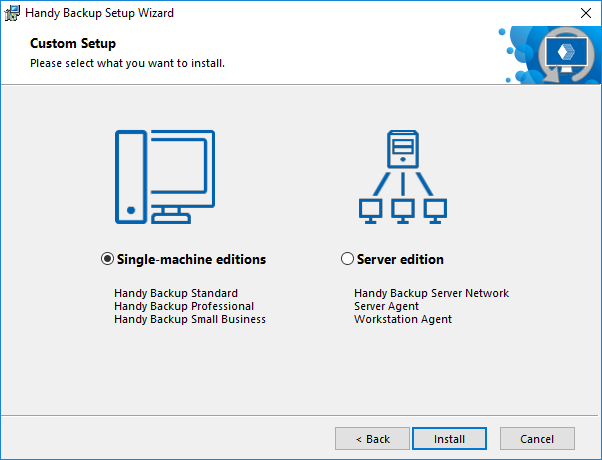
- On the Custom Setup step of the Setup Wizard, select "Single-machine editions" (default option), and then click Install.
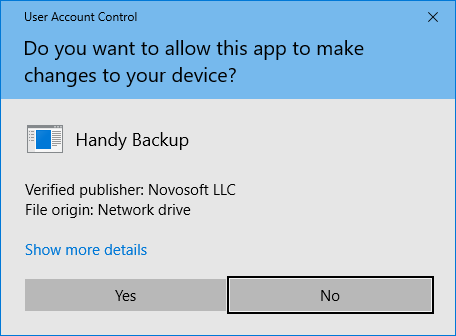
If you have User Account Control enabled, then you will be prompted to confirm the installation. Click Yes.
- On the final screen of the Setup Wizard, select if you want to start the program after installation, and if you want to see the Readme file with brief description of the program’s features.
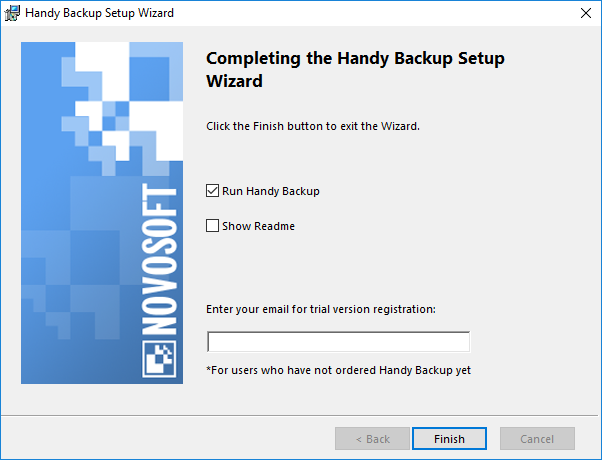
- Click Finish.
The program will start from the user account under which you launched the installation. This means that you will be able to back up data of this user only. To learn more about user privileges and accessing computer data, please see the Workstation section of this manual.
Contents: