MariaDB Plugin - Restore
To restore a backup made with the MariaDB plug-in, follow these steps:
- Click the New Task icon on the toolbar.
- Select Restore task, and then click Next.
- Browse for the index file (backup.hbi) located in the destination folder. Select it, and then click Next.
- In the Select Restore Locations dialog, verify the details of restoration.
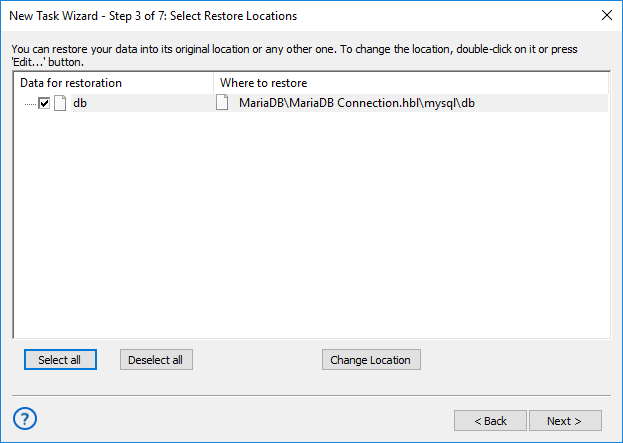
Selecting MariaDB restoration paths
Note: The MariaDB plug-in requires you to have a configuration that defines how to connect to the database. If you are restoring the backup on the same machine where it was made, then you should already have it. If you want to restore the backup with a different or fresh installation of Handy Backup, you need to create it. To do it, follow these steps:
- 4.1. In the Select Restore Locations dialog, select any object (database or table), and then click Change Location. The Change restore location dialog opens.
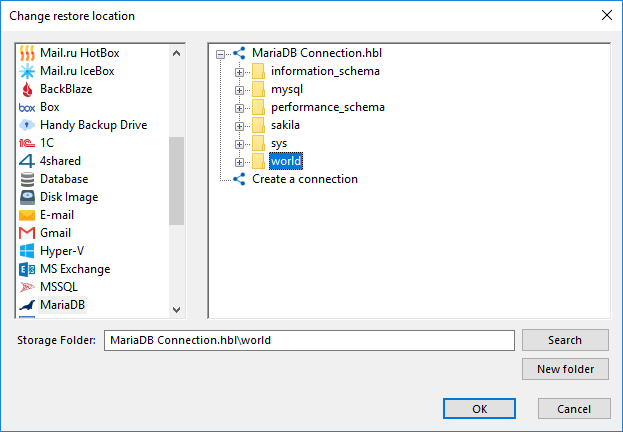
Changing restore location to create a MariaDB configuration
- 4.2. Make sure that MariaDB is selected in the left pane. In the right pane, double-click New configuration. The Settings dialog opens.
- 4.3. Create a MariaDB configuration named identically to the original configuration. To learn how to do it, please see MariaDB Plug-in: Configurations.
- 4.4. After creating the configuration, click Cancel to return to the Select Restore Locations dialog. You don’t need to actually change restore location, only create the configuration.
After selecting the backup to be restored, you will need to select type of restoration, enter decryption password (for an encrypted backup), etc. These steps are not specific to MariaDB, and you can find the respective instructions in the Restore Task chapter.
Tags: restore backup
Contents: