Why Does Backing Up a Database to the Cloud Take So Long?
Many users assume that enabling ZIP compression should speed up a backup because much less data is transferred to the cloud after compression. In practice, this is not always the case.
This example is based on a real user scenario in which an approximately 160 GB MSSQL database took 6 - 7 hours to back up to OneDrive.
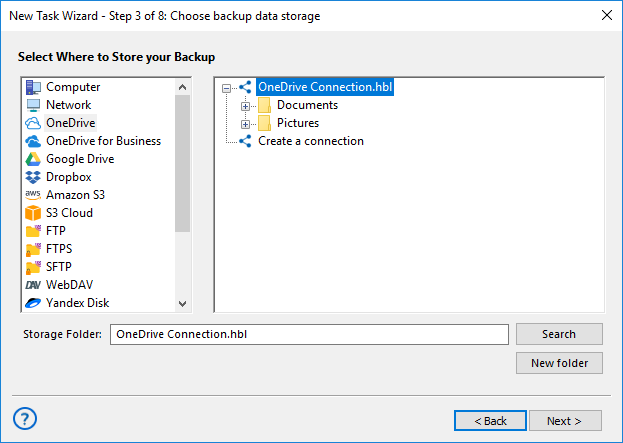
The original problem
An approximately 160 GB Microsoft SQL Server database needs to be backed up to OneDrive using ZIP compression. However, the backup task takes 6 - 7 hours to complete, and it is unclear why the process takes so long.
The Backup Scenario
I am running an MS SQL database backup of an approximately 160 GB database to OneDrive cloud storage. Although ZIP compression reduces the backup size to 30 GB, the task still takes 6 - 7 hours to complete. Why does the backup process take so long?
Solution
The duration of a cloud backup depends on more than just the amount of data and the Internet connection speed. A backup task involves several stages, each of which affects the total backup time. Data processing, archive creation, and communication with the cloud service can also have a significant impact.
Even when the final archive is much smaller than the source database, this does not mean that the program simply uploads a pre-created archive to the cloud. The backup process includes several consecutive stages:
- preparing the task, connecting to Microsoft SQL Server, and calculating the amount of data;
- creating a consistent database snapshot (a VSS snapshot);
- reading and processing the MSSQL database data;
- creating the backup and compressing it into a ZIP archive;
- transferring the archive to OneDrive;
- waiting for upload confirmation and for the cloud service to finish processing the file.
Why ZIP Compression Does Not Always Speed Up a Backup
Regardless of the final archive size, the program must read and process the entire source database. For example, if the database is approximately 160 GB, all 160 GB must be processed even if compression reduces the archive to only a few dozen gigabytes.
ZIP compression itself also requires time and computing resources. The time required for compression depends on the amount and structure of the data, processor performance, and storage speed. The final archive size depends on the database contents. Text, tables, and repetitive data usually compress better than images, videos, PDF files, and files that are already compressed.
The approximate values below show how database contents can affect the archive size and the total task duration.
| Database contents | Size after ZIP compression (example) | Estimated Task Duration* |
| Primarily text data, tables, and indexes | 30–60 GB | 4–7 hours |
| Mixed data: text, documents, and images | 80–120 GB | 7–10 hours |
| Already compressed data: JPEG, PDF, ZIP, video, and other binary objects | 140–160 GB | 10–14 hours or longer |
* Approximate estimate for a database of about 160 GB. The time includes reading the source data, creating the backup, applying ZIP compression, transferring the archive to OneDrive, and final processing by the cloud service. The actual duration may be either shorter or longer. Even the same task with identical settings may not take exactly the same amount of time on every run.
What Affects the Archive Transfer Speed to OneDrive
Communication with the cloud storage can require additional time. After the ZIP archive has been created, the program transfers it to OneDrive through the API. Depending on the archive size and the response speed of the cloud service, this stage may also take a considerable amount of time. After the upload is complete, the cloud service may need additional time to register and process the file before confirming that the operation has finished successfully.
The transfer time may also be affected by:
- the actual upload speed of the Internet connection;
- the load on the local network;
- proxy servers and additional firewalls;
- the current availability and load of OneDrive servers;
- the time required by the cloud service to register and process the file.
Result
Backing up an approximately 160 GB MSSQL database to OneDrive can take 6 - 7 hours or longer, even when the resulting ZIP archive is significantly smaller than the source database. The program must process the entire source data set, create the archive, transfer it to the cloud, and wait for the service-side operations to finish.
Therefore, a long interval between the start of database processing and task completion does not necessarily indicate an error. It may include reading and processing data, creating the ZIP archive, transferring data to OneDrive, waiting for server responses, and final file processing by the cloud service.
If errors occur during the backup or the task duration seems unusually long, contact us at [email protected]. Attach the task logs and describe the entire task configuration process: what you are backing up, where you are storing it, and which options are enabled (for example, ZIP compression). This will help us analyze the situation and, where possible, identify the cause.
Related Pages: