
Dental Medical Practice Data Backup
See how a small US medical practice uses automated daily backup to create and verify recoverable copies of important working data

Watch the video tutorial and learn the basic steps for creating your first backup task.
See how a small US medical practice uses automated daily backup to create and verify recoverable copies of important working data

Medical devices backup use case: learn how a US healthcare-related company uses Handy Backup daily for critical equipment and recurring backup tasks.
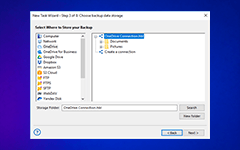
Learn why backing up an approximately 160 GB MS SQL database to OneDrive with ZIP compression can take several hours.
With Handy Backup, HIDEN configured backup and synchronization of business documents, project documentation, and data stored on NAS devices.
Learn how to configure mixed backup in Handy Backup with a full backup on Sundays and daily backup of changes.
Handy Backup provided centralized backup management for 3 physical servers and 7 virtual machines, covering MS SQL databases, email services, and file resources.
For reliable data recovery, Handy Backup makes it easy to create full file backups with timestamps and restore your data to any specific date with just a few clicks.
A successful Handy Backup deployment enabled centralized backup management for 45 server nodes, including VMware virtual machines, physical servers, and MySQL databases.
For office backup automation, Handy Backup makes it easy to run several backup tasks in sequence and shut down the PC after completion.