Selectel Plug-in
The S3 Cloud plugin lets you back up Selectel Object Storage using an S3-compatible connection.
Selectel Setup
- Log in to your Selectel account at my.selectel.ru.
- Open the Account section in the top menu.
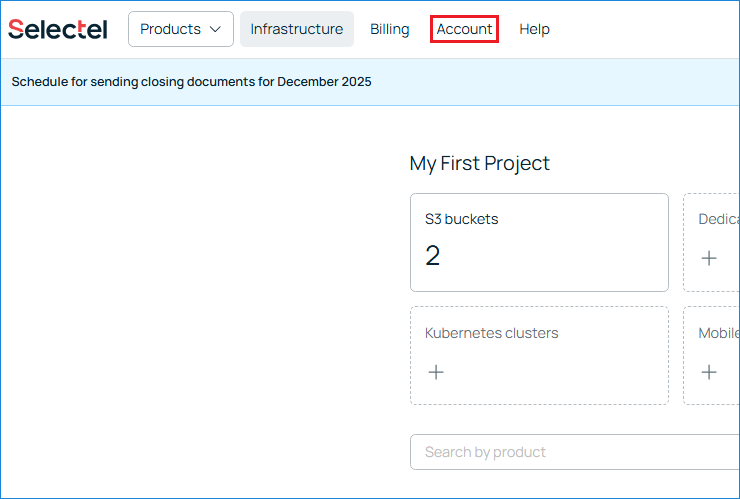
Selectel: Account section in the top menu
- In the left-hand menu, open Projects.
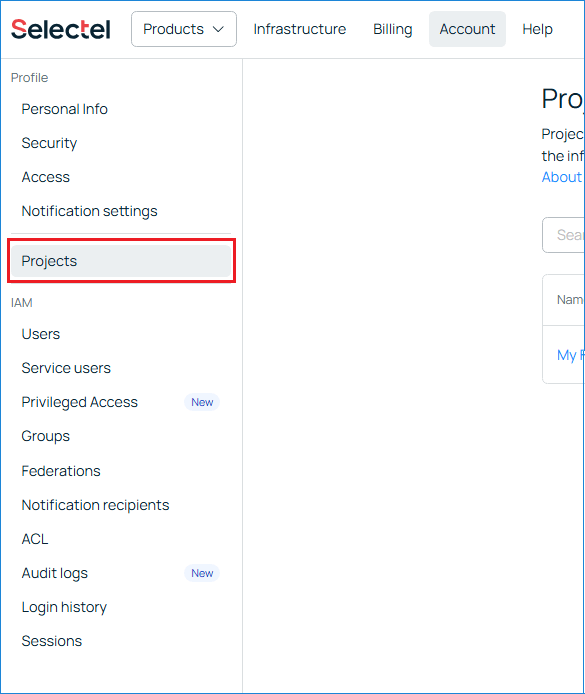
Selectel: Projects page in the left menu
- Create a new project.
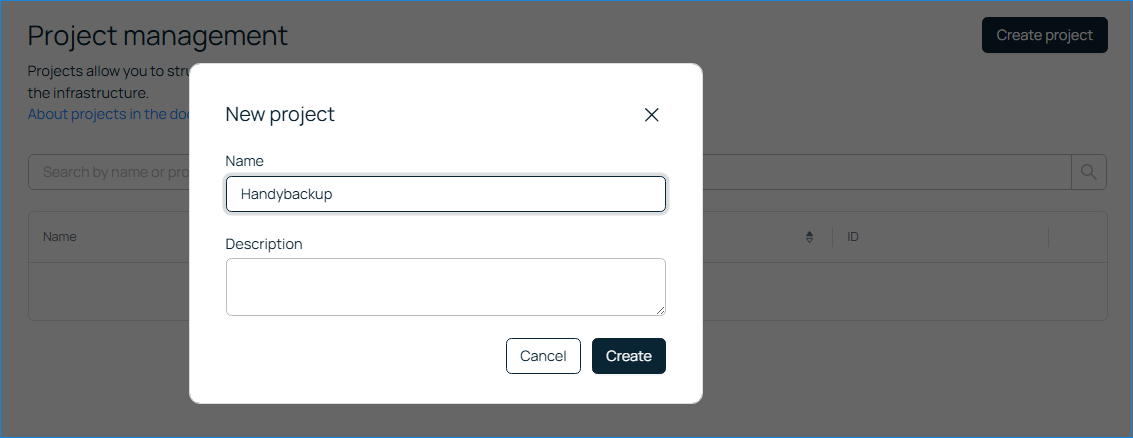
Selectel: Create a new project
- Return to the main page by clicking the Selectel logo in the upper-left corner. Then open S3 Buckets for the project you created.
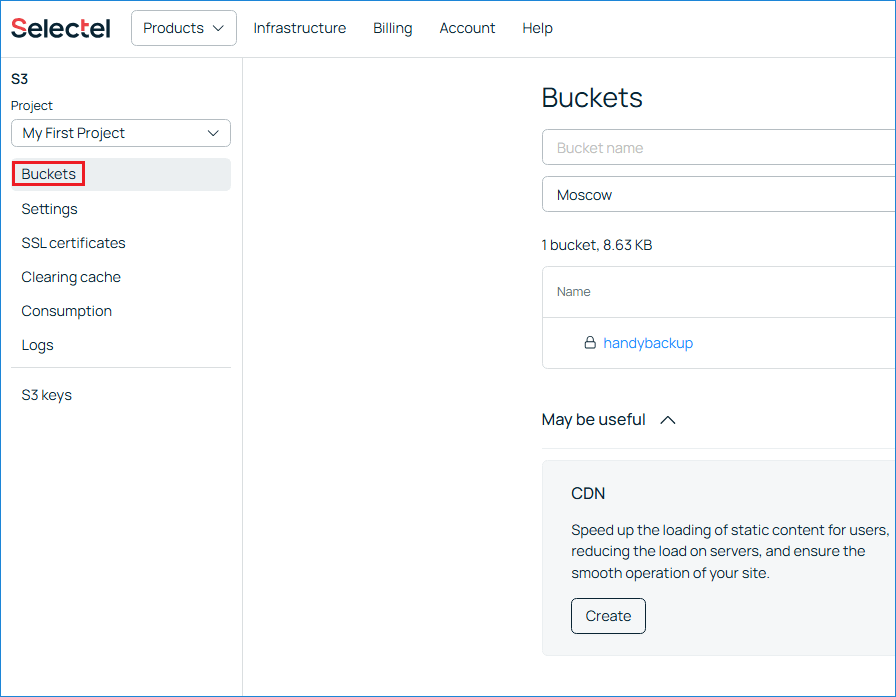
Selectel: S3 Buckets page for the project
- In the left-hand menu, open S3 Keys.
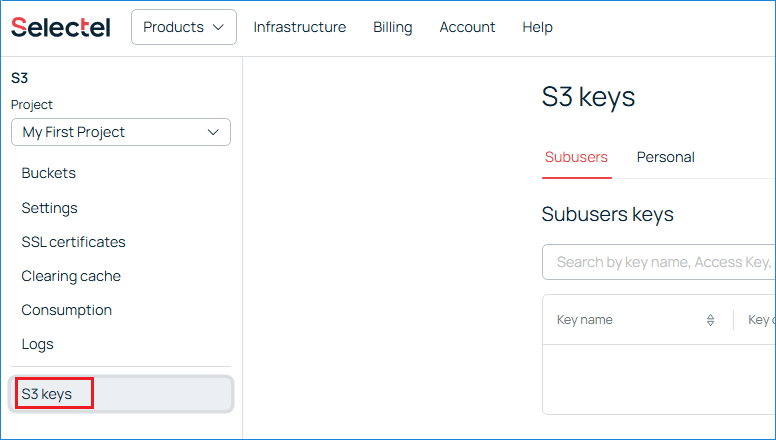
Selectel: S3 Keys page in the left menu
- Create a new S3 key. Save the Access Key and Secret Key. The Secret Key is displayed only once and cannot be retrieved later.
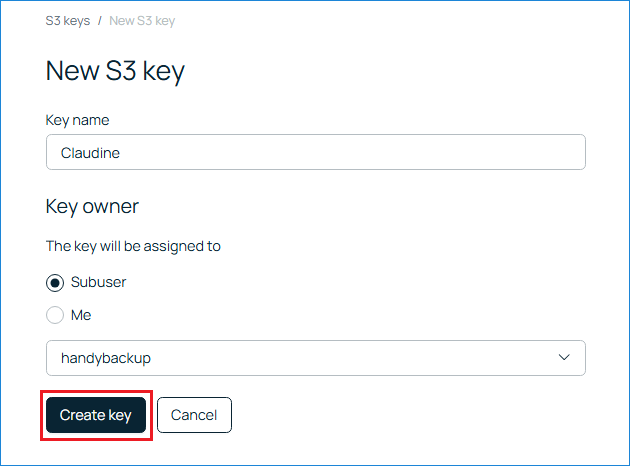
Selectel: New S3 key details
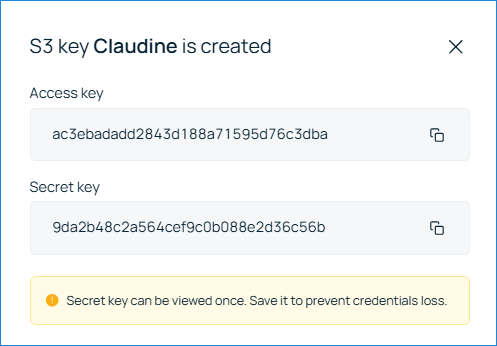
Selectel: Secret key shown only once
- Create a new bucket.
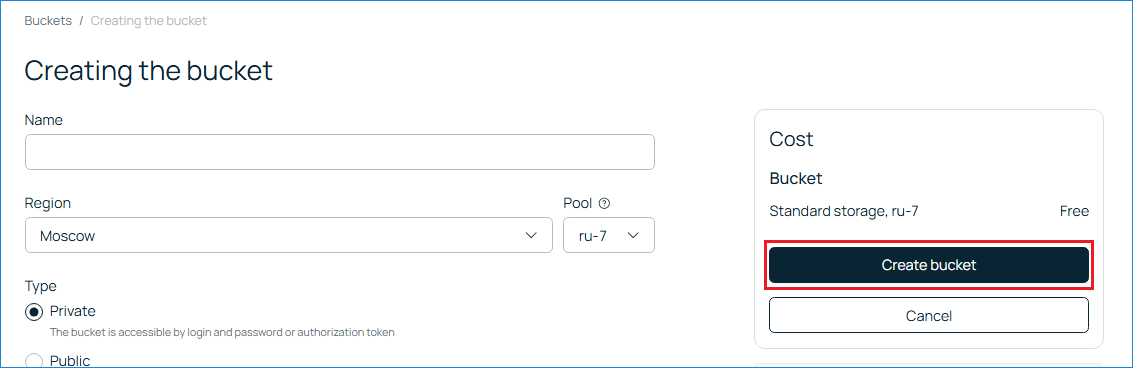
Selectel: Create a new S3 bucket
- Open the newly created bucket and go to the Connection tab.
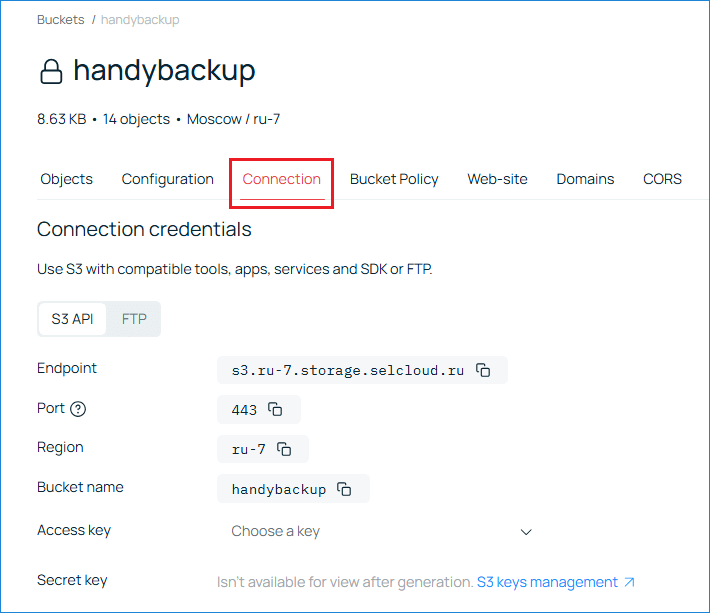
Selectel: Bucket Connection tab with Endpoint
- Copy the Endpoint value displayed on this page.
For your convenience, Handy Backup supports backing up to Selectel in two ways:
S3 Cloud: using the S3 endpoint.
For example: s3.ru-7.storage.selcloud.ru
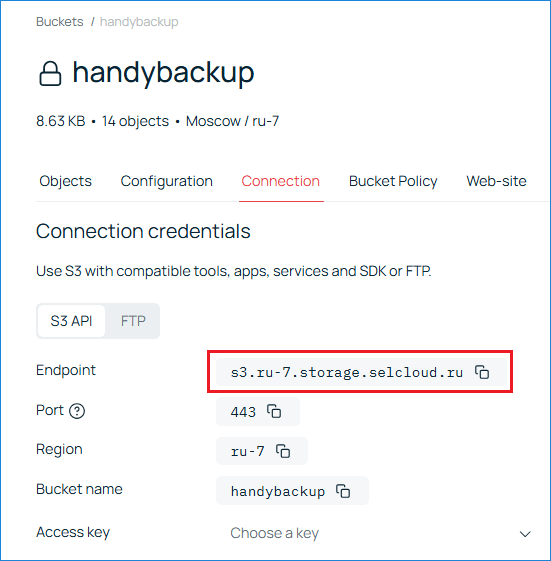
S3 connection details
FTPS: using the FTP server address.
For example: ftp.s3.ru-7.storage.selcloud.ru
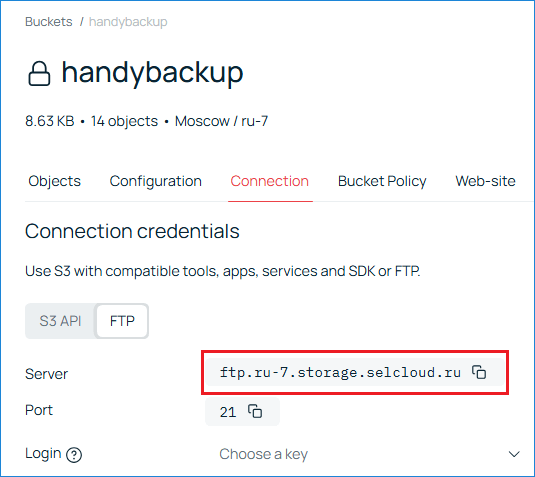
FTPS connection details
Handy Backup Setup
- Open Handy Backup and create a new backup task.
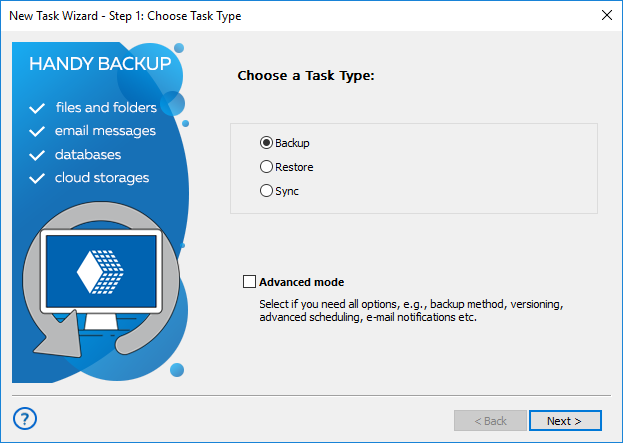
Create a new backup task
- Click Next and select the appropriate plugin depending on the backup method you want to use.
Choose S3 Cloud in the plugin list.
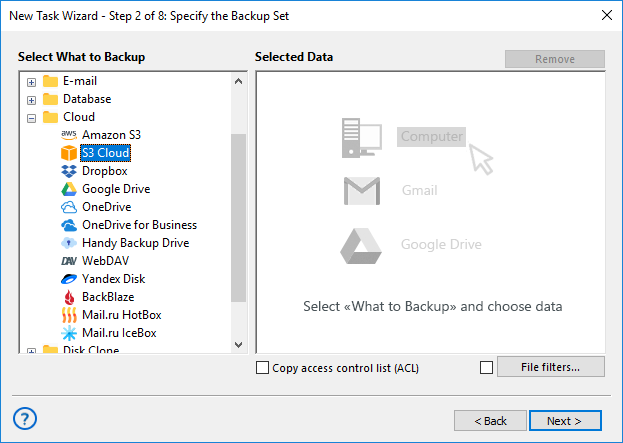
Select S3 Cloud plugin
Choose FTP, then FTPS in the plugin list.
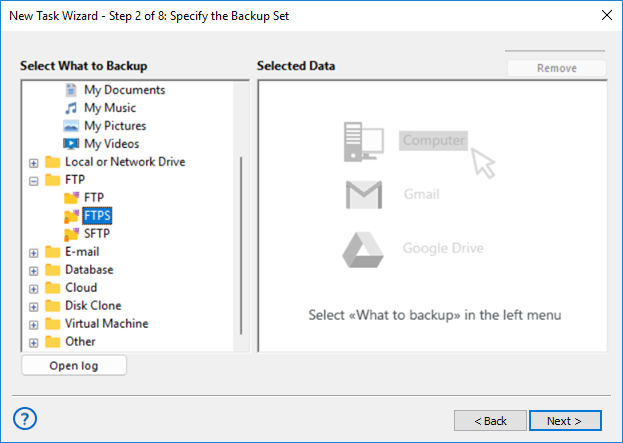
Select FTPS plugin
- Configure the connection:
S3 Cloud
- Paste the copied Endpoint into the Server name field to define the S3 storage connection.
- Enter the Access Key and Secret Key created earlier.
- The Region field is optional and can be left unchanged.
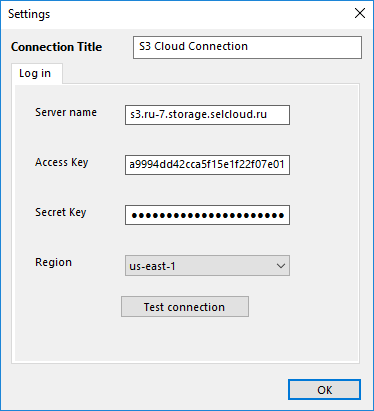
S3 connection settings
FTPS
- Copy the server address and port from Selectel’s FTP tab and paste them into the Server and Port fields.
- Enter the Access Key and Secret Key from step 7.
- Enable Explicit FTPS.
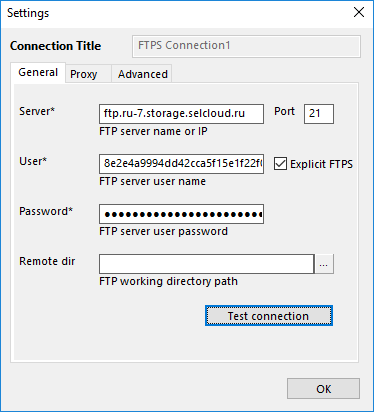
FTPS connection settings
- Click OK. The appropriate Selectel connection will appear in the list of available connections.
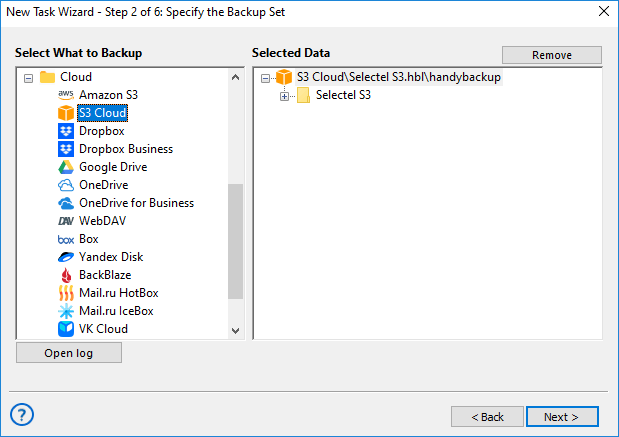
S3 connection added
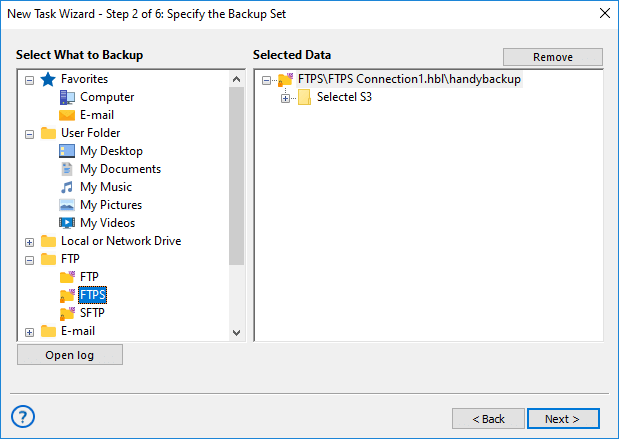
FTPS connection added
Further backup configuration follows the standard Handy Backup workflow.
- For S3, see the S3 Cloud plugin manual.
- For FTPS, see the FTP/FTPS/SFTP plugin manual.
Contents: